
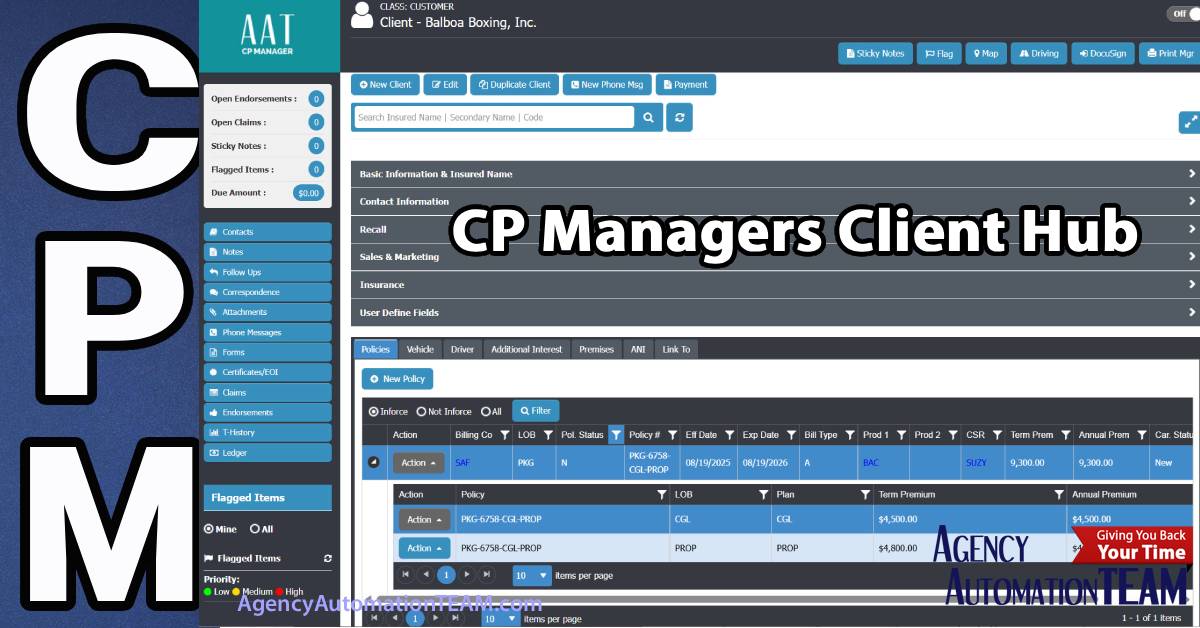
CP Managers Client Hub: Designed to Service Your Clients Quickly
One of Ten Hubs That Power a Complete Automation Solution
With over 25 years of consulting and working with agencies on automation, one truth became clear: most systems on the market are built with major design flaws that slow CSRs down instead of helping them. That’s why we created CP Managers Client Hub — the centerpiece of client service in CP Manager.
CP Managers Client Hub is designed around how CSRs actually work, giving them faster access to the information they need, fewer clicks to complete tasks, and a layout that follows logical workflows.
The Strategy Behind CP Managers Client Hub
When designing CP Managers Client Hub, we focused on solving some of the most common frustrations with other systems:
- Ease of use comes first. You shouldn’t have to click through multiple windows just to complete a simple task. Our Hub consolidates everything into a single, intuitive screen.
- Activities at a glance. CSRs instantly see open tasks, money due, follow-ups, endorsements, and more without jumping through multiple menus.
- Service Tools everywhere. Notes, follow-ups, T-History, and other tools are available directly at the client record and at the policy level.
- Immediate access to policies and details. Contacts, drivers, vehicles, and locations are just one click away — and they can be easily endorsed without digging through layers of the system.
- Key client information front and center. Whether it’s Personal Lines or Commercial Lines, users immediately see agency affiliation, insured names (including DBA), contact details, and more.
- Attach multiple contacts. Because every client has more than one point of contact — from co-applicants and spouses in personal lines to officers and advisors in commercial lines — we’ve built in flexibility to link all the right people.
- Fast client switching. No need to close a window and search again. Our exclusive quick-search tool lets you jump straight to the next client right from the Client Hub.
The result? A fluent, productivity-first design that reflects how agencies actually service their clients.
See CP Managers Client Hub in Action...
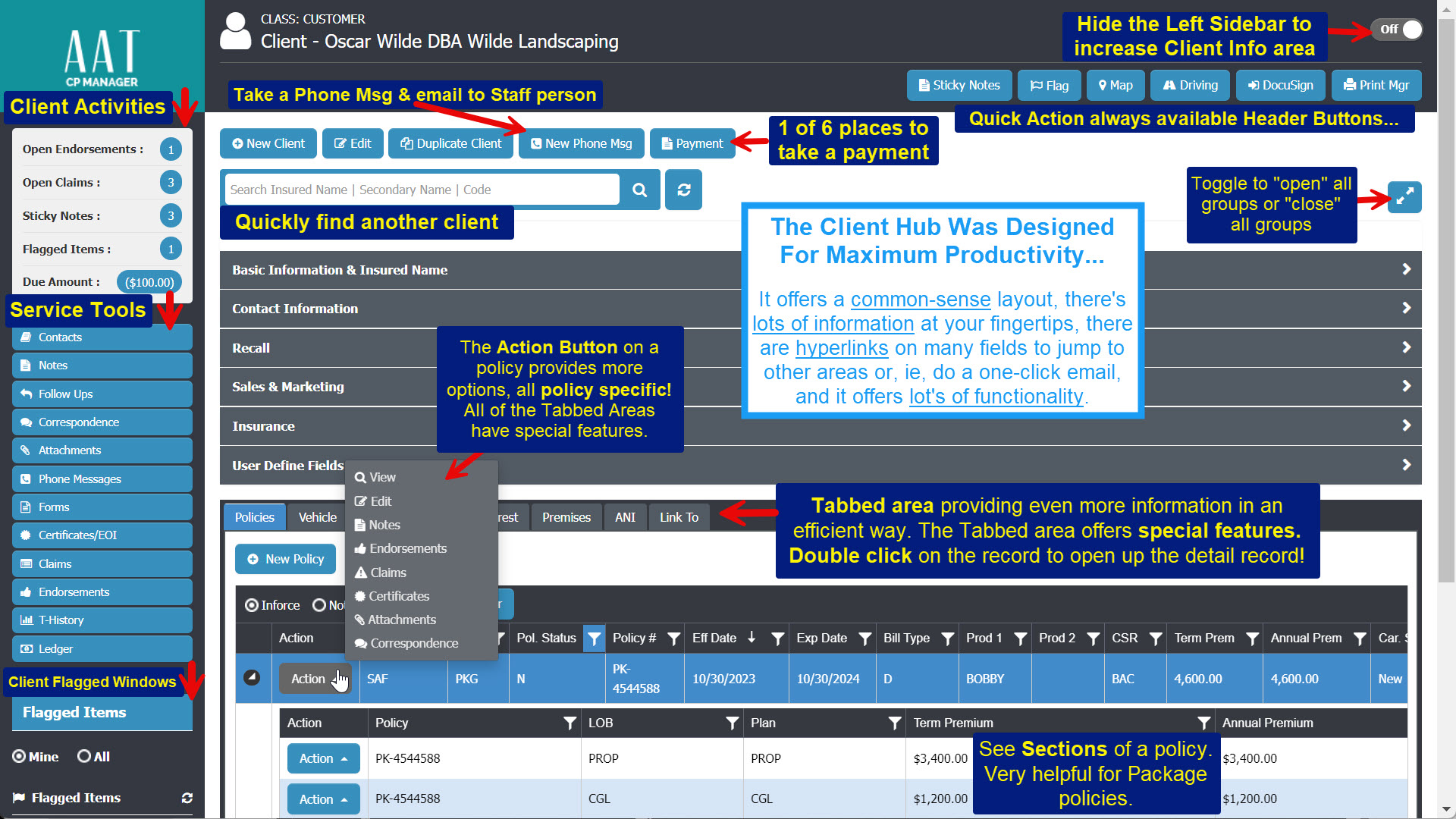
Take a good look at the image above. We put informational boxes all over it to point out some of the key features of this very efficiently designed client screen. A walk-through can share the many other features of this amazing window.
Now let's take a look at the Tabbed area at the bottom of the Client screen, specifically "Drivers"...
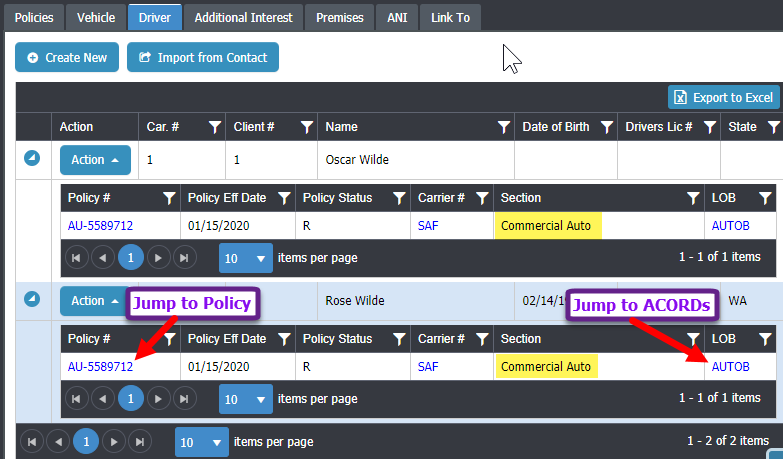
One of the most-loved features of CP Manager is the hyperlinked navigation. For example:
- From the Drivers tab, you can jump straight to the Policy or the related ACORD form it's attached to.
- The Carrier field is a direct hyperlink to the Carrier record.
Everything is connected — giving CSRs faster access, fewer clicks, and smoother workflows.
Why Agencies Love It
During a walk-through of CP Manager, agency owners and CSRs consistently point to the Client Hub as a game-changer. Its clean design, powerful shortcuts, and workflow-driven features make servicing clients faster, easier, and far more efficient.
With CP Managers Client Hub, you’ll love how much information is at your fingertips — and how much more productive your team becomes.
👉 Schedule your walk-through today and experience how CP Manager can transform the way your agency services clients.