You Can Always Add Features

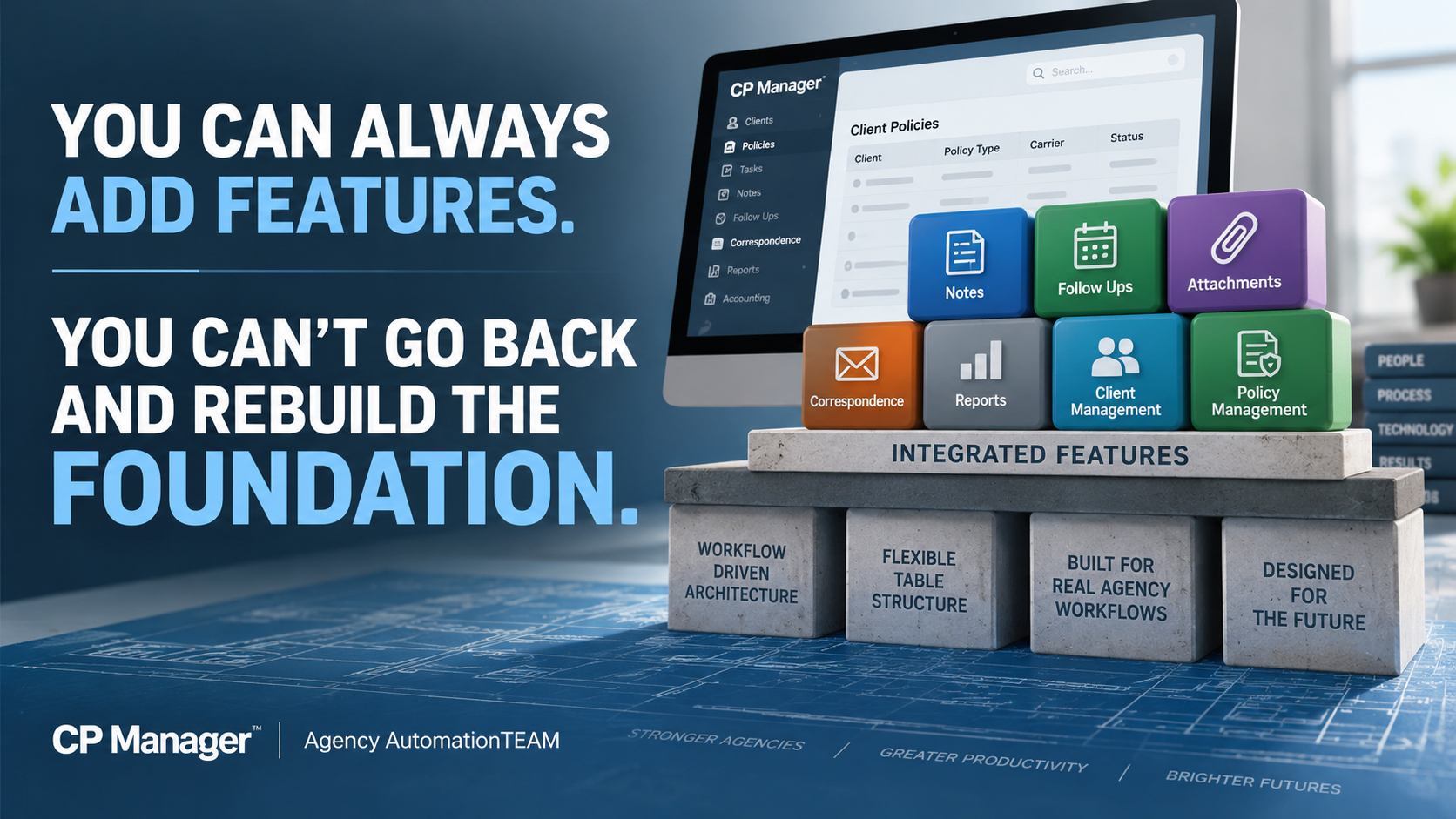
You Can Always Add Features. You Can't Go Back And Rebuild The Foundation.

This is why CP Manager was built around agency workflows first—which makes it possible for features to be FULLY integrated into the system.

By Bradley Chesnut, Founder

Agency management systems have become increasingly feature-rich over the years. New features continue to be added, feature lists get longer, and those features often become one of the primary ways systems are compared. It's also how vendor sales reps sell their systems.

The number of features in an agency management system tells you very little about how efficiently your staff can actually use them. What matters far more is how those features work together to help your staff process their work more efficiently. 

Adding features to a software program is relatively easy. Building the foundation that allows those features to become part of an efficient workflow and fully integrated into the system isn't so easy.

And there's an even bigger problem. If you build the features first and later decide you want to create a truly workflow-driven system, you have likely already built the very foundation that prevents you from doing it.

That's why, when we designed CP Manager, we made a very deliberate decision: We chose to get the foundation right first, because everything we built afterward would depend on it.

That foundation is the all-important table structures to support a workflow-driven system.

Features Are What You See. The Foundation Determines How They Work.

Most agency management systems have many of the same core features: Policies. Notes. Follow Ups. Attachments. Correspondence. Reports. Accounting.

Put two systems next to each other on a feature-comparison chart and you can put checkmarks beside many of the same things. But that doesn't tell you how much work it takes to actually use those features.

That's where the difference between a feature-driven system and a workflow-driven system becomes important.

A feature-driven approach starts by asking: What features does the system need?

The client database gets built. Policies are added. Notes are added. Attachments are added. Correspondence is added. More and more features get added over the years.

Eventually you have a very long feature list.

At this point the underlying table structures and foundation of the system are locked in. When workflows are addressed later, those workflows have to work around a foundation that wasn't originally designed to support them.

This was one of the biggest lessons I learned during my years working with agency management systems since 1991. I'd identify something that could eliminate unnecessary work or make a process considerably more efficient and shared the information with the vendor.

Too often, the answer came back to some version of:

“We can't do that because our table structures don't support it.”

Once agencies start using a system and thousands of client and policy records are sitting inside it, changing those underlying structures becomes enormously difficult, even impractical.

You can't casually rip apart the foundation underneath a live agency management system because you've now decided you'd like the workflows to operate differently.

That experience had a tremendous influence on how CP Manager was designed. We approached it from the opposite direction.

Before creating the underlying structures, we looked at how the work actually gets processed inside an insurance agency.

What happens when a CSR processes an endorsement?
What happens during a renewal?
What information will they need?
Where will they need to go?
What other functions might they need while completing that work?
What are the possible windows a CSR would need for a policy task?
What unnecessary steps can we eliminate?
How can we simplify the process with fewer windows, fewer steps, less jumping around the system, and better data flow to eliminate duplicate entry?

Then we designed the system and its underlying structures to support those workflows.

A workflow-driven system asks what features are needed to support policy workflows first, then what additional features are needed to better manage clients and their policies.

The features had to fit the workflow—not the workflow fitting around the features.

Having A Feature And Integrating A Feature Into The System Are Two Very Different Things

Here's where this becomes much easier to understand.

CP Manager has Notes, Follow Ups, Attachments and Correspondence. There's nothing particularly remarkable about saying that.

Other agency management systems have Notes, Follow Ups, Attachments and Correspondence too.

On a feature-comparison chart, everybody gets four checkmarks. But the checkmarks don't tell you how those features have been integrated into the system.

All four of these features in CP Manager were designed to be available throughout the system and integrated into the workflows where they're actually needed.

That's an entirely different objective than simply saying: “Yes, we have that feature.”

To show you what we mean by integrated, let's look at just one of them and how it's integrated throughout the system.

This is what we mean when we talk about integrating a feature into a workflow. The objective isn't simply to make the feature available. It's to understand when it's needed, where it's needed, what CP Manager already knows when you use it, what other parts of the system it should interact with, and how many unnecessary steps we can eliminate in the process.

Notes, Follow Ups, Attachments and Correspondence demonstrate the development philosophy behind CP Manager: don't simply add a new feature—integrate it into the system and into the workflow.

And because of the foundational design of CP Manager, “integrated into the system” means something very different than simply adding another feature to a menu.

With The Workflow-Driven Foundation Now In Place, Our Attention Has Turned To Adding Key Features

The decision we made years ago about how CP Manager should be built now gives us an important advantage.

Every new feature can be designed from the beginning to work within the workflows and integrate with the rest of CP Manager.

As we design a new feature, we ask:

Where does this belong within the agency's workflow?
What information does CP Manager already know that shouldn't have to be entered again?
What other parts of CP Manager should this feature interact with?
What steps can it eliminate?

The objective isn't simply to add the feature. It's to make the feature part of the workflow and fully integrated into the system.

Our Next Major Feature Shows Exactly What This Foundation Makes Possible

Introducing CP Manager's Exclusive Workflow Task Manager (WFTM)

One of the most difficult and time-consuming parts of training a new CSR—or even an experienced CSR joining your agency—isn't teaching them where the buttons are.

It's teaching them how to process the work.

The correct workflow for processing a policy task is determined by three things:

  • Line of Business.
  • Carrier.
  • Policy Task.

Change any one of those and the steps may change. That means a CSR ultimately needs to learn and remember many different policy-task workflows.

The Workflow Task Manager is being designed to put that knowledge directly into CP Manager.

For years, one of our founder's specialties as an insurance automation consultant was creating detailed workflow manuals so CSRs would know exactly how different policy tasks should be processed.

With the Workflow Task Manager, we've taken what used to require a workflow manual and put it directly into the management system.

When a CSR starts a Workflow Task from a policy, CP Manager already knows the Line of Business and Carrier for that policy. The CSR simply selects the Policy Task to run.

That's it.

CP Manager presents the appropriate workflow and walks the CSR through the steps required to process that specific task. All the CSR has to do now is just click on the hyperlinks to open up the window for the next step in the workflow.

Instead of spending months learning and memorizing different workflows, a CSR will know how to process a policy task in seconds.

They don't have to remember the workflow. CP Manager remembers it for them.
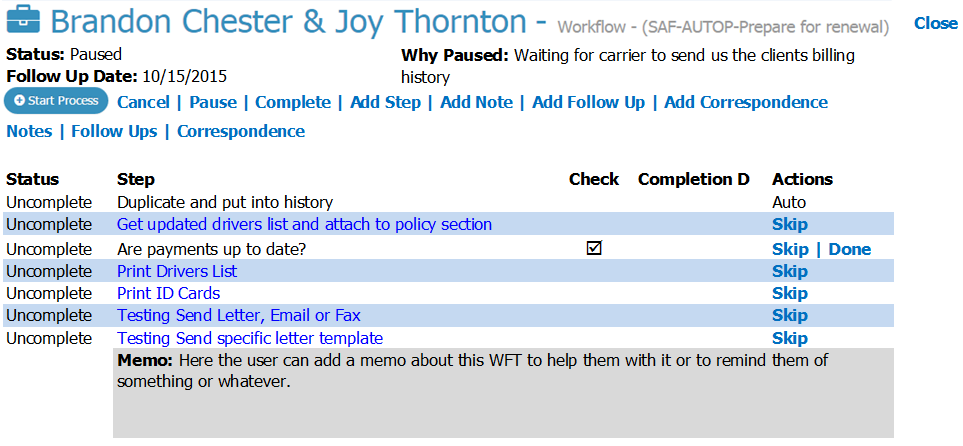
WFTM Window Proto Type

We Couldn't Have Built It This Way If We Hadn't Built The Foundation First

The Workflow Task Manager was part of the plan from day one. But it couldn't be added until the table structures were there to support it and the other pieces were put in place.

It needed policy, carrier and Line-of-Business information. It needed Notes, Follow Ups and Correspondence. There are over 90 steps to choose from. And most importantly, it needed the workflow-driven foundation we've built.

That's what allows the Workflow Task Manager to do far more than simply display a checklist.

The CSR can work through each step and go directly where needed in CP Manager. Notes, Follow Ups, attachments, correspondence, and other parts of CP Manager become part of the workflow.

A workflow task can be paused when waiting on a client or carrier, with the reason documented and a Follow Up established so the work isn't forgotten.

We're not building another task checklist and bolting it onto CP Manager. We're bringing the capabilities already built into CP Manager together around the actual work the CSR is processing.

That's the difference between simply adding another feature and integrating a feature into a workflow-driven system.

There's Another Important Reason To Consider CP Manager Now

The WFTM will be an optional, per-user add-on to CP Manager and will be the most expensive add-on we offer. There's a reason for that.

We've invested more programming time into the Workflow Task Manager than any other individual feature we've developed. But more importantly, we know it will have a greater impact on agency productivity than any other feature we could add.

From September 1, 2026 through January 31, 2027, agencies that purchase CP Manager will receive the Workflow Task Manager FREE for every CP Manager user they purchase.

Purchase CP Manager for five users during this period, and you'll receive WFTM for all five users at no additional cost once it's released.

And that's a benefit you'll continue receiving long after this introductory offer ends.

When We Look At Features, Seriously, What Features Actually Matter To An Agency?

There's another lesson I've learned after more than three decades in insurance automation.

For as long as systems such as Applied and AMS360—originally Pathfinder and known by different names over the years—have been around, I've consistently heard agency owners and CSRs tell me essentially the same thing: “We only use about 15–20% of the system.”

Or: “We don't use but a fraction of the features, but we're still paying for all of them because they're bundled into the system.”

What they're ultimately telling me they really want from their agency management system is much simpler: “We just want to service our clients and their policies. That's really what we need.”

I get it, and I agree! That's why we'll eventually have 2 systems...

  • CP Manager to handle your client and policy management in a highly efficient and productive way, and
  • The TIME System, a full-blown and true agency management system, for larger agencies who have greater needs.

This is not the time or place to discuss the TIME system. For now let me just say that it's also been planned since day one, and as part of that planning, when CP Manager users upgrade to it there will be no data conversions (100% of their data will be there), no downtime, and no new learning curve creating another breakthrough in the insurance automation industry.

This is the advantage of planning these things from the beginning. CP Manager had to be first, and the foundation had to be right because...

The fundamental reason agencies use an agency management system hasn't changed:

It's to manage your clients and their policies. Client & policy management is the foundation to these systems!

The question is, "how efficient do you want your staff to be, and how many policies do you want each CSR to be able to manage?"

That's why our development priorities for CP Manager are centered around better client management, better policy management, and increasing agency productivity.

It is NOT our objective to compete with other systems over who has the most features.

Our focus is on helping your agency become as productive and profitable as possible.

That's where the focus needs to be—and that's what will drive the features we add to CP Manager.

Features absolutely matter. But features should have a purpose: 

  • Help your staff manage clients and policies better,
  • Eliminate unnecessary work,
  • Make the agency more productive, and
  • Increase the profits of an agency.

So What Does All Of This Mean For Your Agency?

At the end of the day, your agency doesn't buy a management system because of its table structures, programming architecture, or even the number of features it has.

You buy it to help your staff manage your clients and policies—and get the work done as efficiently as possible.

That's why the foundation matters.

When the system is designed around how the work actually gets processed:

  • Features can work together instead of functioning as separate pieces.
  • Information the system already knows can follow the work.
  • Unnecessary steps can be eliminated.
  • Your CSRs can spend less time navigating the system, re-entering information and keeping track of what needs to happen next.

And those differences get repeated hundreds of times, across every CSR, every week.

That's where the impact becomes much bigger than simply saving a few minutes on a policy task.

It means your existing staff can handle more business. 

It means you can delay the need to add another CSR.

It means new employees can become productive faster.

And ultimately, it means greater profitability for your agency.

That's what the workflow-driven foundation of CP Manager was built to accomplish.

Have Questions About What You've Just Read?

The way a management system is built affects much more than which features it offers. It can affect how those features work together and how efficiently your staff can actually use them.

If you'd like to discuss any of this with us, let's talk...

LET'S HAVE A CONVERSATION

See The Difference For Yourself

This is difficult to fully appreciate from a feature list—or even from an article.

You need to see the workflows.

During a CP Manager Walk-Through, we'll show you how these features have been integrated throughout the system and how CP Manager was designed around the work your staff actually performs every day.

Don't just ask us what CP Manager has. See how CP Manager works.
Schedule A CP Manager Walk-Through

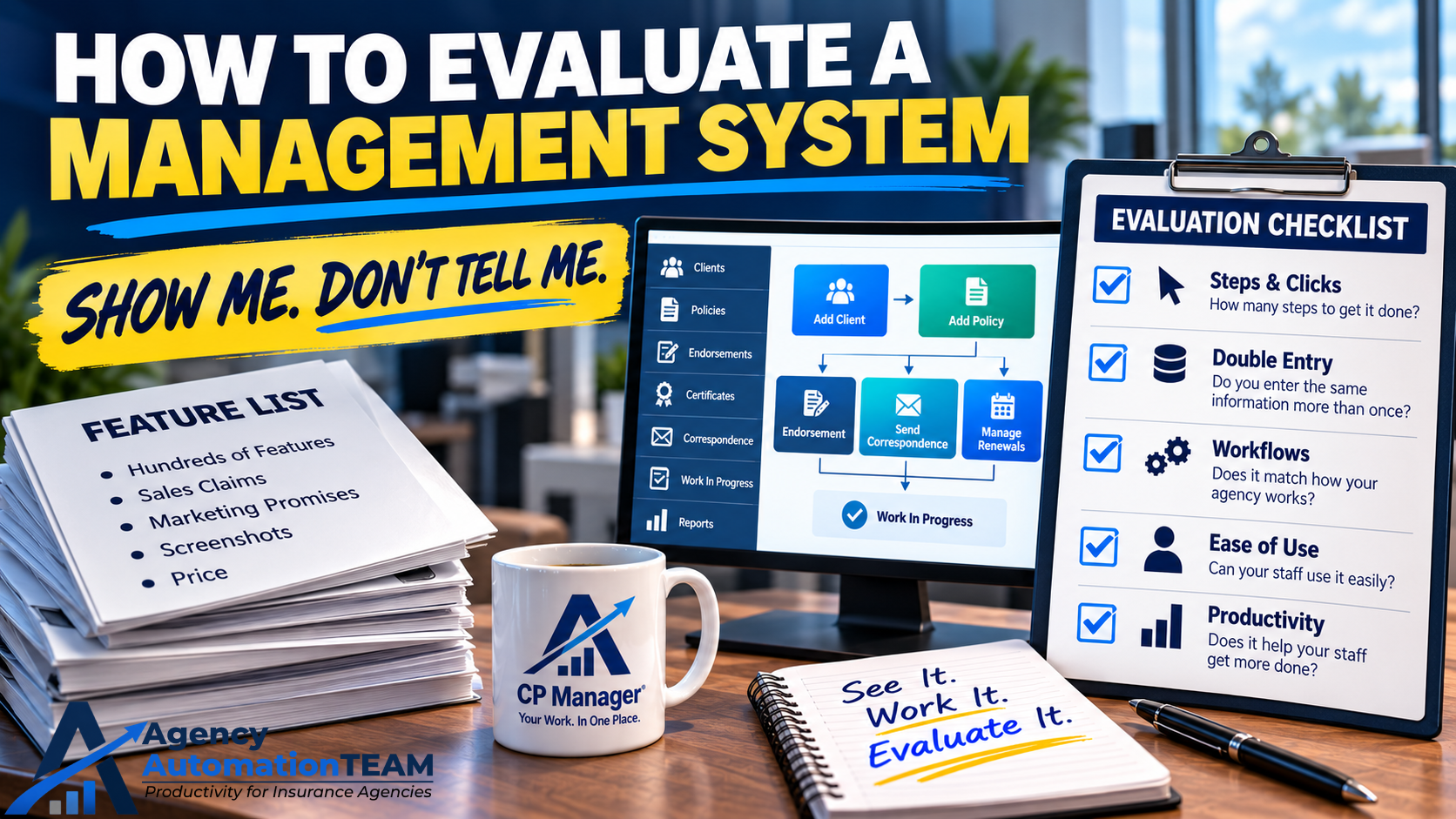
How To Evaluate A Management System

How To Evaluate A Management System

Choosing an agency management system is one of the most important business decisions you’ll make.

After decades of helping agencies through this process, I can tell you there are smart, effective ways to evaluate a system—and there are poor approaches that almost guarantee a bad decision.

Rule #1: Show Me, Don’t Tell Me

The Importance of a Walk-Through

Let’s be blunt: sales reps often exaggerate what their system can do. Some even stretch the truth.

Example: One vendor advertises “downloading.” But in reality, it only drops a text file into the policy—it doesn’t update the policy. That forces staff to manually update records, which defeats the purpose of downloading altogether.

If you simply ask, “Does your system offer downloading?” the salesperson will say “yes.” Without a walk-through, you won’t realize the feature is nearly useless until it’s too late.

The solution: Insist on seeing the system in action. During a walk-through, have the rep show you exactly how to:

  • Add a client.
  • Add a policy (with full detail).
  • Enter a B-Tran/Invoice.
  • Send an email.
  • Process an endorsement or renewal.
  • See how you stay on top of work in process and open policy tasks.

Pay attention to the steps, clicks, and workflow. How much jumping around does it require? How streamlined is the process?

🔑 Bottom line: A product should sell itself when you see it in action. Without a walk-through, you can’t make a fair determination if CP Manager—or any system—is right for your agency.

Next Step: After a walk-through, if you're still not convinced, the natural next step is a Test Drive. This is where you get either a 7-day or 30-day login to CP Manager where you and your staff can dig in and give CP Manager a real test drive and experience it for yourself.

Once you’ve had a walk-through and you’ve seen how the system works, the smartest next step is to get hands-on. Unfortunately, most vendors don’t allow this — they stop at the demo. That’s why I recommend asking if a system offers a test drive. It’s the only way to know if the workflows truly fit your agency. With CP Manager, we make this possible through both a 7-day and a 30-day Test Drive. Few vendors are willing to do that, but it’s the most reliable way to avoid an expensive mistake.

We’re one of the only vendors that offer this:

  • 7-Day Test Drive ($67): Shared demo agency.
  • 30-Day Test Drive ($197): Full control of your own setup, fee credited if you purchase.

Learn more about our Test Drive program.

Rule #2: It’s Not About Price—It’s About Productivity

A system’s real cost isn’t the subscription fee—it’s how much time it consumes (or saves) for your staff.

A “cheaper” system that requires 10% more CSR hours will cost your agency far more than you save upfront.

Remember:
Increased Productivity = Increased Profitability.

When evaluating a system, focus on:

  • Double-entry: Does data flow seamlessly, or must staff retype information?
  • Workflows: How many steps does it take to process policy tasks? How does the system help staff stay on top of work?
  • Ease of use: Is the system intuitive, or does it create a steep learning curve and painful transition?

📘 Want to dig deeper? Read: What "Increasing Your Productivity" Really Means to Your Agency and The Big Savings with CP Manager.

Rule #3: It’s Not About Features—It’s Still About Productivity

One of the biggest mistakes agencies make when evaluating a management system is getting distracted by feature lists.

Vendors love to overwhelm prospects with long, impressive catalogs of functions and features. And when they demo the system to agencies, they spend most of the time showing features to "wow" the agency and very little time showing how the system will help them handle their day-to-day work.

But here’s the reality: After talking to many agencies on these bloated systems, most agencies only use 15–20% of those features. Those features they were so impressed with ultimately end up not being used. That's because, when the rubber hits the road, your day-to-day work and increased productivity are what really matter!

This also means they’re paying for a system full of things they don’t use and will likely never need or use.

And worse, all those extra bells and whistles often make the system harder to learn, harder to use, and slower for your staff. Instead of making your team more productive, bloated systems actually create drag.

The real question isn’t “Who has the most features?” The real question is:
👉 “Which system helps my staff get their work done faster and more accurately every single day?”

That’s why the smartest agencies focus on:

  • How the system handles core workflows (adding policies, renewals, endorsements).
  • How much double-entry there is.
  • How easy it is to train new staff.
  • How much time it actually saves per CSR per month.

Features don’t drive profitability. Productivity does.

An agency that saves 35 hours per CSR per month (a 20% productivity boost) will see a far bigger financial return than one that bought the system with the thickest feature catalog but increase the time for every task.

👉 Remember: Increased productivity equals increased profitability. That’s the true measure of a great system.

The CP Manager Review Process

We offer multiple ways to review CP Manager—many without ever speaking to an account manager. Some resources require sharing your information first. Why?

Because CP Manager is unique. It was built from over 30 years of industry experience, combining deep workflow knowledge, programming expertise, and an obsession with productivity. No other vendor has invested the time or money we have to create a true productivity-driven system. Protecting these innovations is essential.

When you do speak with an account manager, you’ll find we’re respectful and not pushy. Our goal is simple:

  • Learn what’s important to you.
  • Recommend the most efficient review path based on your timeline.
  • Help you decide confidently if CP Manager is the right fit.

👉 Let's have a discussion and talk about these 3 points. Let's determine if CP Manager is a good fit or isn't the right fit for your agency upfront to save both of us time.

By Agents For Agents, Smart Or Not So Smart?

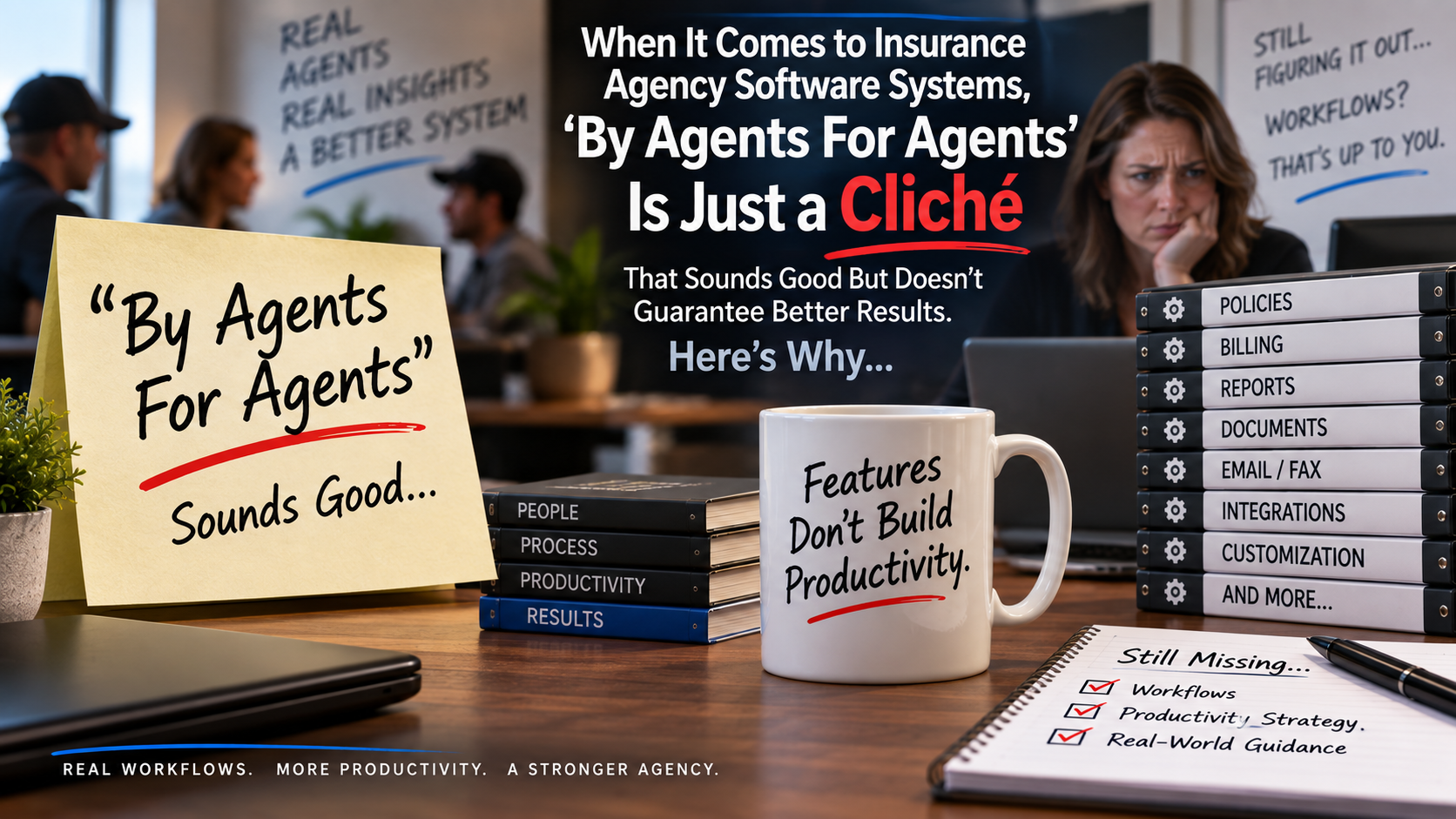
When It Comes to Insurance Agency Software Systems, ‘By Agents For Agents’ Is Just a Cliché That Sounds Good But Doesn’t Guarantee Better Results. Here’s Why…

For over 25 years, I’ve worked closely with agencies to help them automate processes and boost staff productivity. During this time, I’ve seen countless insurance agency management software systems come and go. 

One of the first questions you should ask when evaluating a management system is, “Who designed it?”

This question is more important than you might think.

Think about it:

  • Would you trust a homeowner or a professional architect to design your house?
  • If a rocket were being built, would you want an astronaut or a rocket engineer to design it?
  • When building a race car engine, would you rather have a race car driver or a specialized mechanic do the job?

In other words, does it make more sense for the expert engineer or the user of the product to design it?

Here’s the problem: users often don’t know everything that’s required to design a truly efficient system. Let me explain what I mean.

The Agency CSR Is the Smartest User — But They Only Know What They Know

Who truly understands an agency’s management system best?

Without a doubt, it’s the CSR — the Customer Service Representative. They use the system every day to process work, service clients, handle policy changes, endorsements, renewals, and track outstanding issues. No one else in the agency uses the system as intensively or consistently.

It’s not the agency owner. Not the producer. Not the bookkeeper.

It’s the CSR.

Most would agree on this point.

But They Only Know What They Know

While CSRs are the most knowledgeable users of an insurance agency software system, their expertise is limited by the training they’ve received—and that training is usually specific to their agency and the particular system they use.

Let me share an example. Back in 2005, I led a Productivity Workshop for clients of one of the more efficient systems on the market at the time. One agency with 15 users sent 5 of their best CSRs, including their lead CSR, to attend. The plan was for these experienced staff members to learn new strategies and then train the rest of the team.

When they arrived, these CSRs confidently told me they had no idea why their owner sent them—after all, they’d been using the system for seven years and considered themselves highly efficient already. They clearly felt the workshop was unnecessary.

I welcomed their skepticism and invited them to listen with an open mind.

The first half of the workshop passed, and as lunch began, these same 5 CSRs gathered around me—this time with smiles. The lead CSR told me they were already convinced the techniques they’d learned would reduce their workload by at least 10%, and another said it might be even more.

By the end of the day, their confidence had grown—they knew for sure their workload would drop by at least 20% thanks to the new strategies they’d discovered. They were amazed by how much they didn’t know, despite their years of experience.

Now, imagine if these 5 committed but initially unaware CSRs were the ones designing your agency management system. Would it really be optimized to maximize productivity?

Or What If the Agency Owner Designed the System Without Deep Workflow Knowledge?

Imagine if the system was designed by an agency owner who wasn’t deeply involved in workflows and processing work. Think of all the critical details they will be missed simply because they didn’t have the in-depth expertise in workflows and productivity strategies that a specialist consultant brings.

As my experience shows, there’s always more to learn—and that’s why I’ve always said:

“Agency staff only know what they know.”

What they don’t realize they don’t know is often what holds them back. Experienced CSRs may be very skilled in what they do, but they rarely recognize the gaps in their knowledge. There is always more to learn to increase productivity and efficiency.

CSRs and vendor trainers typically lack the extensive background in agency automation, workflows, and productivity strategies that insurance automation consultants possess.

Workflow training and productivity strategies are foundational to insurance automation consulting—that’s where our expertise lies.

Where’s The Disconnect?

To understand why there’s room for improvement in CSR efficiency, consider how most CSRs learn their job:

  1. From existing staff who, in turn, only know what they know—since over 90% learn this way; or
  2. From vendor-provided software training.

The problem is, vendor training never includes workflow or productivity strategy training—it only covers basic product knowledge: how to use system features, nothing more.

This means CSRs rarely learn the finer points of creating a highly productive agency and workflows.

In my extensive work with many management systems, I have never seen one that teaches workflows or productivity strategies.

If your agency wants to master advanced workflows and productivity skills, you must turn to an insurance automation consultant—because this is what we specialize in.

I’ve lost count of how many agencies have told me that when they asked their vendor for workflow help, they were told, “Workflows are up to you.” Vendors just don’t teach it.

Just six months ago, an agency using Epic told me the Applied training team refused to help with workflows, only offering product feature training.

Many agencies have shared that when they asked vendor trainers how to handle day-to-day work like endorsements or renewals, the response was that workflow steps were up to the agency—they only teach how to use system features.

Why Aren’t Workflow-Driven Systems More Common?

Because vendors don’t teach workflows or productivity strategies, they cannot build systems designed to support them.

The result? Feature-driven systems that don’t optimize productivity.

This is exactly why CP Manager is the first truly workflow-driven agency management system. It’s been built and refined by insurance automation consultants who specialize in workflows and productivity.

Otherwise, wouldn’t there already be a workflow-driven system on the market?

The truth is, most new systems on the market merely mimic existing feature-driven products—they lack the expertise to design workflow-centered systems.

CP Manager is not “by agents, for agents.” It’s designed by insurance agency software experts who understand agency workflows and productivity inside and out.

CP Manager: Built by Experts Who Truly Understand Workflows and Productivity

CP Manager was created by highly skilled insurance automation consultants—experts in workflows and productivity strategies who train agency producers and CSRs to become more efficient and effective every day.

‘By Agents, For Agents’ Is Often Just More of the Same

Almost every agency management system on the market today is essentially a copy of existing systems with minor tweaks or added features. For example:

  • One newer system tried to stand out by adding a bunch of social media features—but these didn’t actually help agencies increase productivity or improve client service. As a result, that system is struggling to stay afloat.
  • Another system banked on being low-cost, but without strong commercial lines support, no accounting capabilities, and lots of double entry, it’s also having trouble surviving.

If you look closely, most systems share the same core features: ACORD forms, notes, follow-ups, client records, correspondence, and the like. What they consistently miss are workflows, data integration for true single-entry, and a system layout designed to maximize effectiveness by tightly integrating features into a seamless, productive experience.

Systems designed “by agents for agents” tend to focus on cramming in features they think are necessary, without understanding how to build a workflow-driven, highly productive system. That’s because:

No one has built one before—until now.

Introducing CP Manager: The First True Workflow-Driven System

CP Manager breaks the mold. It’s the first workflow-driven system introduced to an industry that has relied on workflows for over 30 years. It’s about time.

CP Manager is not just another “by agents, for agents” system—and that’s a great thing. Who wants more of the same?

See the Difference for Yourself

If servicing your clients faster, helping your CSRs get more done every day, and growing your book of business efficiently matter to you, you’ll love what CP Manager can do for your agency.

Schedule a walk-through of CP Manager today and discover how a system designed to increase your productivity can transform your agency.

Pros and Cons of Management Systems

management systems

Pros and Cons of Management Systems for Insurance Agencies

Technology has transformed how insurance agencies operate, and at the heart of this transformation are management systems. The right system can streamline operations, improve client relationships, and increase profitability. But as with any major business decision, there are both pros and cons to consider.

The Pros of Management Systems

1. Simplicity and Organization
Management systems centralize client, policy, carrier, and accounting information. Instead of juggling spreadsheets, sticky notes, or multiple disconnected programs, everything your team needs is in one place. This reduces wasted time and makes serving clients faster and easier.

2. Improved Marketing and Client Communication
Strong client relationships are built on consistent communication. Management systems allow agencies to automate routine messages—renewal reminders, policy updates, birthday greetings—while also supporting more personalized outreach. This helps you retain more clients while creating opportunities for cross-selling.

3. Increased Productivity and Profitability
Your staff’s time is your largest expense. The more efficiently they can process renewals, endorsements, claims, and other policy tasks the more clients they can serve without adding more payroll. A good management system eliminates double entry, speeds up workflows, and allows CSRs and producers to focus on revenue-generating activities instead of fighting with outdated software.

4. Smarter Cross-Selling Opportunities
Because client and policy data is organized in one system, management systems make it easy to identify coverage gaps. This makes cross-selling simpler, giving your agency a predictable way to grow revenue without needing new leads.

5. Better Decision-Making
With dashboards, reports, and analytics built in, management systems provide insights into productivity, book of business mix, and profitability. This visibility allows owners to make smarter decisions for growth and resource allocation.

The Cons of Management Systems

While the benefits are clear, it’s also important to acknowledge potential challenges:

  • Poor Vendor Support: If the vendor isn’t responsive or helpful, implementation and ongoing use can be frustrating.
  • Complexity of Bad Systems: Not all management systems are designed with ease of use in mind. A clunky, hard-to-learn system can slow staff down instead of speeding them up. Hard to use systems also make it time-consuming to hire and train new staff.
  • Data Conversion Challenges: Moving data from your old system can be stressful if not managed properly. This is why choosing a vendor with experience and a proven process is critical.

In short: the “con” isn’t in using a management system—it’s in using the wrong one.

Choosing the Right Management System

The best management systems are built specifically for insurance agencies. They combine ease-of-use, single-entry workflows, strong commercial and personal lines management, accounting, and downloads—all designed to maximize productivity.

That’s why we built CP Manager. With over 30 years of experience in insurance automation, we engineered CP Manager from the ground up to eliminate inefficiencies, streamline workflows, and help agencies increase profitability—without the headaches most systems create.

Schedule a Walk-Through Today

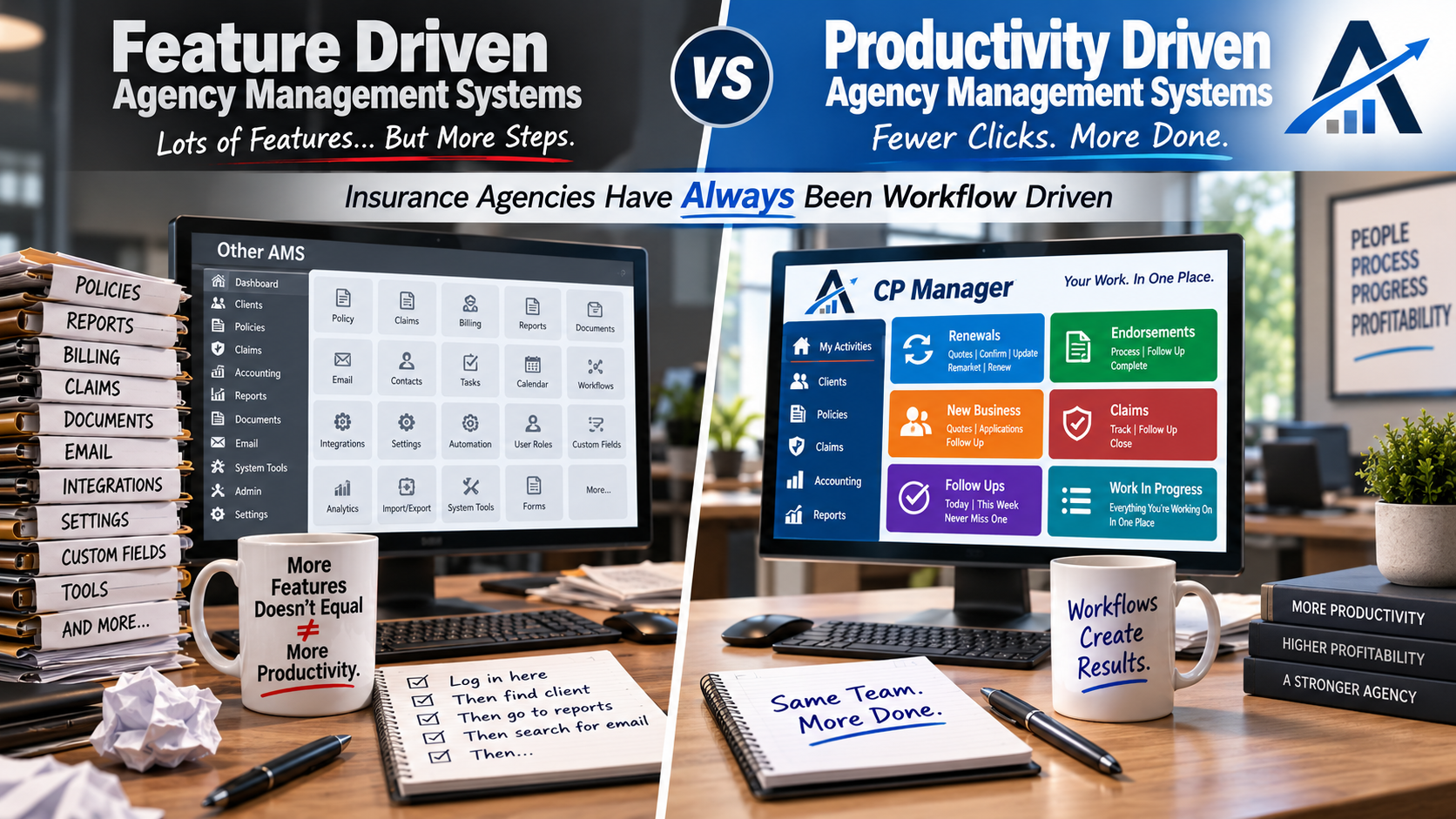
The Productivity Driven AMS Vs Feature Driven

Productivity Driven Agency Management Systems Vs Feature Driven

Insurance Agency Work Has Always Been Workflow Driven

Insurance agencies don’t operate in features. They operate in workflows.

Every day is driven by renewals, endorsements, new business, claims, follow-ups, carrier interactions, and work-in-progress that must move forward without slipping.

For decades, agencies have been forced to adapt those workflows to feature-driven management systems — relying on workarounds, memory, and personal processes just to keep work moving.

That mismatch quietly caps productivity.

CP Manager was designed from the opposite starting point.

After decades of working inside agencies and helping them work around the limitations of traditional systems, CP Manager was built as a workflow-driven management system — designed to align the software to how agency work actually flows.

When the system matches the workflow, productivity stops being forced. It becomes an intregal part of the system.

Why Has It Taken This Long For A Productivity, Workflow Driven System To Be Released?

There are two key reasons why it's taken so long...

First...

Programmers are only trained to design feature-driven systems... There is no blueprint or training on how to build a productivity-focused, workflow-driven system.

Second...

Until now, there hasn't been anyone with the key skill sets needed to design one... 

  • An extensive background in agency automation and management systems, 
  • A programmer who understands database structures and relational databases, and 
  • Being an expert in workflows and productivity strategies.

While everyone in the industry knew the insurance industry was workflow driven, knowing how to build a workflow productivity-driven system wasn't something they knew how to do.

Instead, vendors created checklists of what an agency management system “needed”—notes, follow-ups, attachments, accounting, etc.—and then set out to plug those features into a client record. This is how pretty much all database programs are created and why they're called "feature-driven".

It’s a straightforward approach, which is why feature-driven systems can often be built and released in just one to two years. Most start with personal lines, sometimes adding a basic version of commercial lines later.

The result?

A system with lots of features on paper, but in practice…

  • Double-entry everywhere
  • Weak commercial lines management
  • Minimal workflow support
  • Little impact on real productivity

That’s why, despite having more than 30 agency management system options on the market today, many agencies still feel stuck using systems that don’t meaningfully make daily work faster or easier.

The Birth of Productivity Driven Systems

The idea behind a productivity-driven agency management system is fundamentally different. Instead of starting with a list of features, you start with workflows—the actual step-by-step processes agency staff perform every day, such as renewals, endorsements, cancellations, and claims.

When building a productivity driven system the approach is completely different.

Rather than listing all of the features needed you instead map out the workflow steps for handling policy tasks and all of the actions/steps involved in the task.

For example, processing an endorsement is very different depending on:

  • Whether you’re downloading from the carrier or not.
  • Whether you have binding authority.
  • Which line of business you’re working with.

Each of those differences changes the workflow. And each workflow step defines what features are actually needed—and how they should function to be more productive.

This workflow-first approach ensures that every feature exists for a reason: to make the CSR’s job faster, easier, and more accurate.

Why Table Structures Matter

As an insurance automation consultant, I’ve seen firsthand how important database table structures are. They determine whether your system can be single-entry, whether workflows can be streamlined, and how data flows between modules.

For years, when I suggested improvements to other vendors, I’d hear:

“Our table structures won’t support that.”

That’s why CP Manager was blueprinted and designed from the ground up—with workflow, single-entry, and productivity baked into its DNA. Before a single line of code was written, I spent 18 months mapping out every workflow, task, and data flow. It was grueling—but necessary to avoid the limitations that have plagued every other agency management system.

Blue-printing a productivity driven system is based upon how an agency would use the system step by step, policy task by policy task (ie, Renewal, Endorsement, Cancellation, Claim, etc.), and what work the agency staff needed to stay on top of so things don't slip through their fingers.

Re-Engineering the Core To An Agency Management System

Because CP Manager was designed as a productivity-driven system, nearly every “standard” feature had to be completely re-engineered:

  • Notes, Follow-Ups, Attachments, Correspondence → tightly integrated and streamlined, and to more effectively support CSRs processing their work.
  • Client Management → designed for speed and single-entry.
  • Policy Management → rebuilt for both personal and commercial lines, with CL as the foundation. Complex package policies are a breeze in CP Manager.
  • Renewals, Endorsements, and Claims → workflow-driven with the right features to process the task.
  • Accounting → insurance-specific, intuitive, and built around productivity with a lot of business logic behind the scenes to better automate accounting tasks and make it push-button easy.
  • New Innovations → over 30 features never seen before in an agency management system.

The result?

Not only are agencies calling CP Manager “the most insurance-specific system they’ve ever used,” they're ecstatic with the huge drops in their workload because of the huge increase in their productivity.

Why All Of This Matters to Your Agency

The way your management system is designed quietly determines how much work your agency can realistically handle — regardless of how experienced or motivated your staff may be.

When a system is feature-driven, productivity gains depend on people working around the software. Over time, that creates friction: more steps, more windows, more mental tracking, and more reliance on individual memory to keep work moving. As volume increases, those small inefficiencies compound.

That’s when agencies begin to feel stretched even though everyone is working hard.

A workflow-driven system changes that dynamic.

When the system is designed to follow how work actually flows through an agency, productivity is no longer dependent on workarounds or hero effort.

Work-in-progress becomes visible.
Tasks stay connected.
Processes feel more natural instead of forced.

The result isn’t just speed — it’s the amount of work each CSR can handle each day.

Agencies gain the ability to handle more business without automatically adding staff, increasing stress, or losing control over daily operations. Decisions about hiring, growth, and service become intentional instead of reactive.

This distinction matters because productivity ceilings don’t announce themselves.
They show up as pressure, backlog, and the sense that “we’re busy, but not getting ahead.”

Understanding whether your system is helping or quietly limiting your agency is the first step toward changing that.

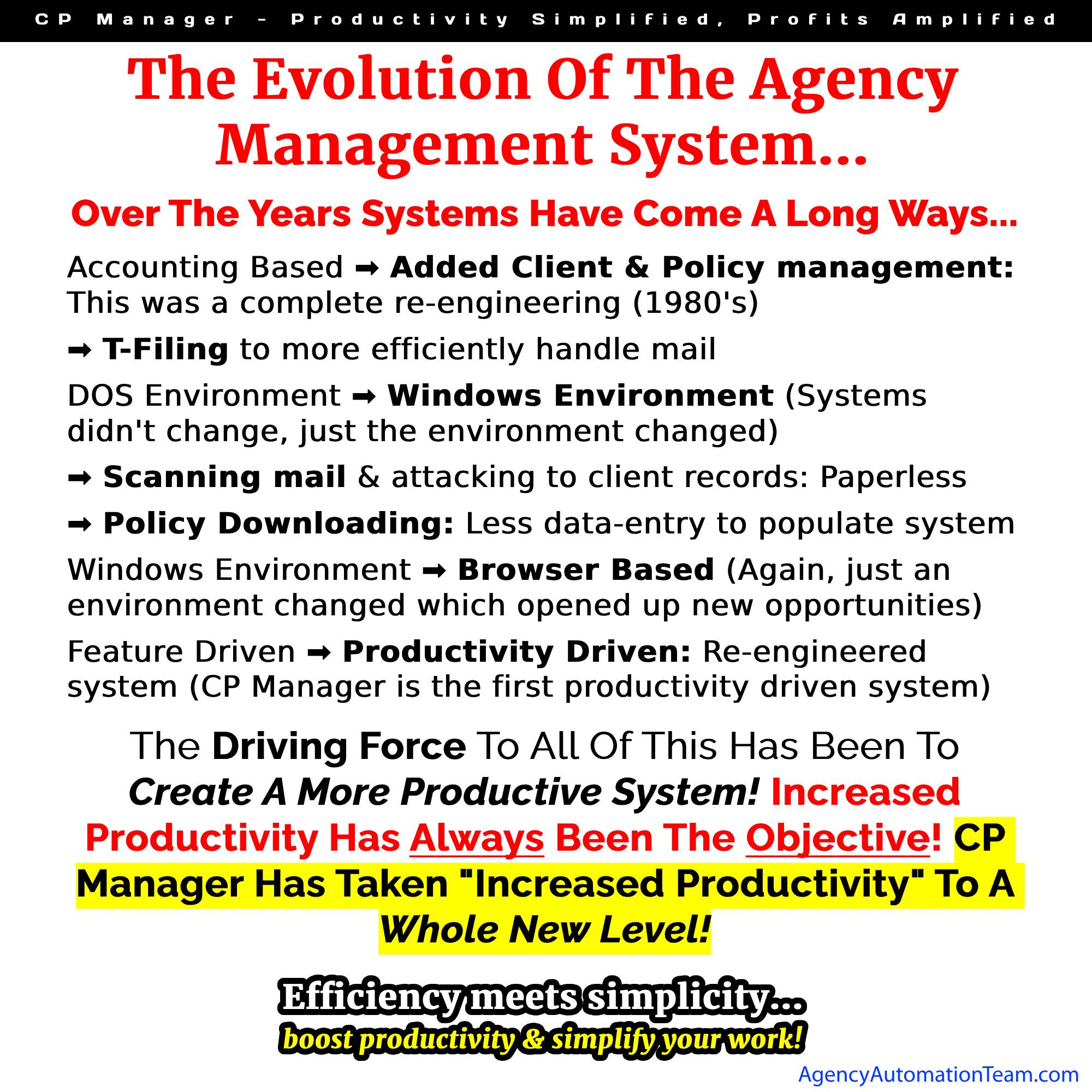
The Last True Design Change Was In the 1980's

Over the past 40 years, numerous vendors have said they were the next evolution in agency management systems. What constitutes being a "new evolution"?

Changing the programming environment from DOS to windows? Windows to browser-based?

No, those are just changing the environment they operate under. Their layout, structure and how you do your work stayed the same.

The last time there was a major change, a new evolution in agency management systems was in the 1980's when they went from being accounting based to being client-policy driven.

That is until now with CP Manager going from feature-driven to being workflow-driven.

With CP Manager, agencies are reporting faster processing, far less double entry, and smoother daily operations. The system is still feature-rich to support workflows and increasing your productivity. More importantly, it’s built to make agencies more productive and profitable.

Want To Talk More About Productivity vs. Features?

Features are important. But so is how efficiently your staff can actually get the work done using them.

If this article raised some questions you'd like to discuss with us, let's talk.

LET'S HAVE A CONVERSATION

Ready to See It in Action?

Don’t settle for another feature-driven agency management system that slows your staff down. Experience the first productivity-driven agency management system and see the difference for yourself.

👉 Schedule a Walk-Through of CP Manager

How Will Client Management Software Help Me Manage My Clients?

Client Management Software

How Client Management Software Transforms the Way Insurance Agencies Serve Clients

Managing clients today goes far beyond keeping names and policies in a filing cabinet. Independent insurance agencies are expected to provide fast service, issue accurate certificates, track renewals, process claims, and still have time to build lasting client relationships. That’s where the right client management software comes in.

Unlike generic CRMs, specialized software for insurance agencies centralizes your client data, streamlines workflows, and gives your staff the tools they need to work smarter — not harder.

The result?

Less stress for your team and better service for your clients.

Why Client Management Software Matters for Agencies

1. Everything in One Place

With the right client management system, your CSRs can instantly see complete client profiles — policies, documents, notes, accounting, certificates, and more — without hunting through multiple programs.

This simplicity allows your staff to:

  • Answer client questions on the first call.

  • Reduce errors by eliminating double-entry.

  • Spend more time serving clients instead of fighting with clunky software.

2. Faster Service, Happier Clients

When your software is easy to use, CSRs and producers can process work quickly. Certificates, endorsements, renewals — all of it gets done faster. And when your staff is efficient, your clients feel it in the form of better, faster service.

3. Flexible Enough to Fit Your Agency

Every agency is unique. Whether you focus on personal lines, commercial lines, or a mix of both, your client management software should adapt to you — not the other way around.

That means:

  • Strong commercial and personal lines support.

  • Scalability for agencies of all sizes.

  • Pricing models that fit your financial goals.

4. Integration and Automation

Today’s agencies rely on multiple tools — rating systems, carrier portals, email, and more. Good client management software integrates with these systems and automates repetitive tasks.

This includes:

  • Downloading where carriers support it.

  • Streamlined handling of policies that don’t download.

  • Automated reminders, follow-ups, and renewal tracking.

The result is less wasted time and fewer things slipping through the cracks.

5. Proactive Client Service

Great service is about being proactive, not reactive. Client management software gives you the data and tools to:

  • Track X-dates and renewal opportunities.

  • Anticipate client needs before they call you.

  • Improve retention by demonstrating consistent value.

The Cost of Not Using the Right Client Management Software

Many agencies stay stuck with outdated or generic systems because switching feels like a hassle. But every day with the wrong software costs you money:

  • Lost productivity from extra clicks and inefficient workflows.

  • Missed cross-sell and renewal opportunities.

  • Frustrated staff and higher turnover.

The truth is, the pain of staying with the wrong system is far greater than the temporary effort of switching.

Why CP Manager Is the Client Management Software Built for Agencies

We designed CP Manager with one goal: to unlock your agency’s full potential. With 30 years of insurance automation expertise, we built a client management system that is:

  • Extremely easy to use

  • Single-entry across the board

  • A commercial lines powerhouse

  • Packed with workflow-driven tools that boost productivity

With CP Manager, your staff gets more done in less time — and your clients get the high-level service they deserve.

Ready to see how the right client management software transforms your agency? Schedule a Walk-Through Today

What Makes the Best Agency Management Systems?

What Makes the Best Agency Management Systems (And How CP Manager Stands Apart)

When it comes to evaluating the best agency management systems (AMS), the decision is bigger than software — it’s about the long-term success and profitability of your agency. The system you choose will determine how efficiently your staff works, how satisfied your clients are, and ultimately how profitable your agency becomes.

With so many vendors claiming to have the “best AMS,” it’s important to separate marketing hype from what actually drives productivity in an independent insurance agency.

What Is an Agency Management System?

An agency management system (AMS) is the backbone of modern insurance operations. It’s where you:

  • Manage client and policy data
  • Handle renewals, endorsements, claims, and other policy tasks; and send out certificates of insurance and auto IDs
  • Process accounting (agency bill + direct bill)
  • Handle producer commissions
  • Do marketing to build your agency like cross-selling and XDating
  • Coordinate staff workflows

In short, your AMS is where client service and agency profitability intersect.

But here’s the catch: not all systems are built the same.

What Defines the Best Agency Management System?

When evaluating the best AMS for your agency, there are several non-negotiables:

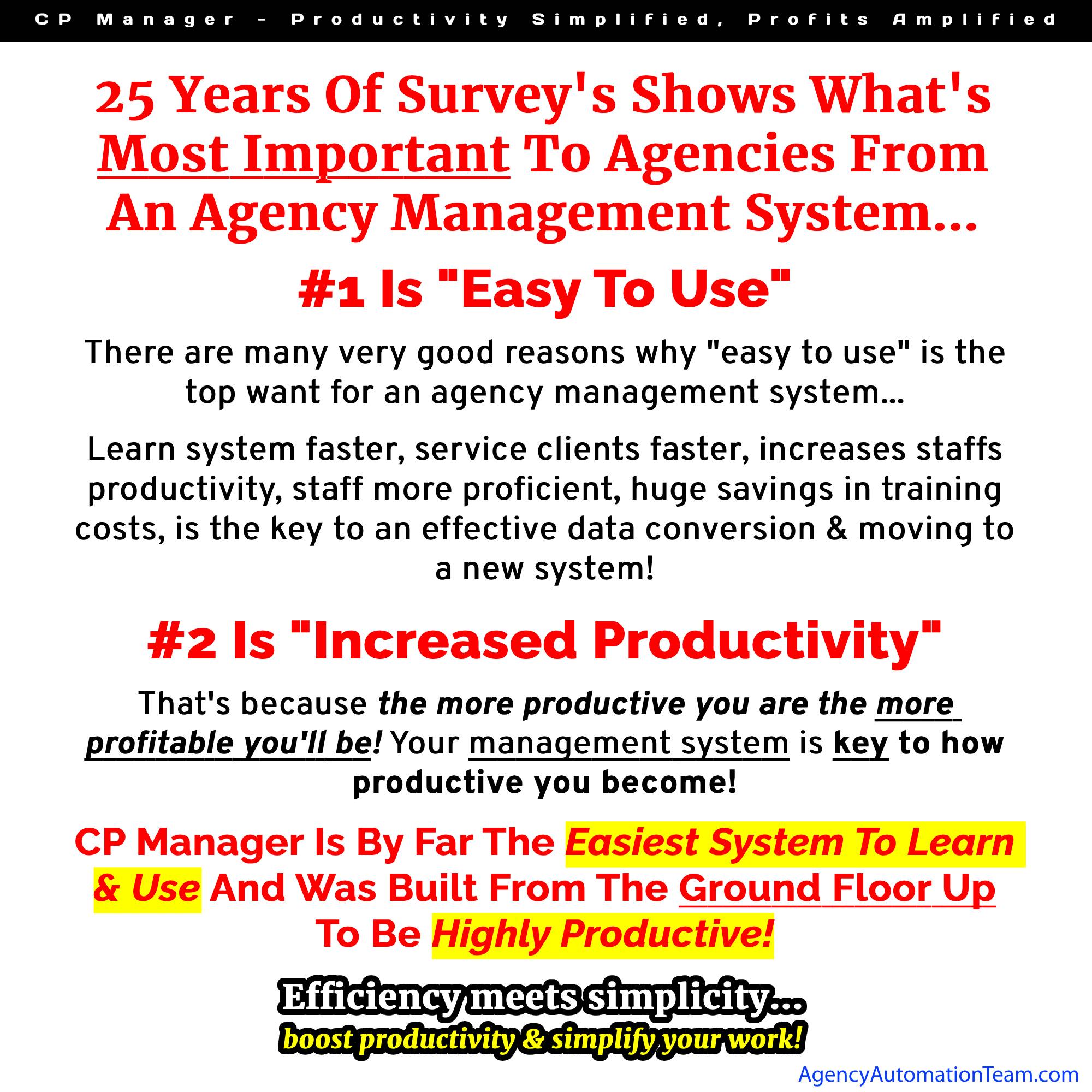
1. Ease of Use

The harder your system is to use, the more stressful the transition — and the more your staff will resist using it. A system must be intuitive, fast to learn, and easy to navigate so your CSRs and producers can focus on clients instead of fighting the software.

2. True Single-Entry

Double or triple entry is one of the biggest drains on productivity. The best AMS ensures single-entry workflows across personal and commercial lines, accounting, and client communications.

3. Commercial & Personal Lines Management

Most systems today are built for personal lines first. Commercial lines management is often an afterthought — but commercial lines can be quite complexity (and profitability). The best systems must handle both seamlessly, especially for agencies that want to grow their commercial lines books of business.

4. Workflow-Driven Design

Workflows are the backbone of every CSR. Renewals, endorsements, claims — each requires precise, repeatable steps. The best AMS should guide staff through workflows to ensure nothing slips through the cracks, while cutting down on wasted clicks and manual tasks.

5. Productivity and Profitability

Your staff is your largest expense. An AMS that lets your CSRs handle more accounts keeps producers focused on selling, and reduces the need to hire additional staff translates directly into higher profits.

Where Many AMS Vendors Fall Short

Most AMS vendors rush products to market in 1–2 years, focusing on adding “features” to check boxes. What gets overlooked?

  • Workflows (the backbone of the CSR)
  • Commercial lines efficiency
  • True single-entry
  • Flexibility for both download and manual processing
  • Ease of use in daily work

Once clients are added, the system’s table structures are locked, making it nearly impossible to redesign for real-world productivity. This is why most AMS systems feel clunky and inefficient.

Why CP Manager Is Different

At Agency AutomationTEAM (AAT), we spent 11 years developing CP Manager before releasing it. Why so long?

Because we refused to compromise on what makes the best agency management system:

  • Extremely easy to use — designed for CSRs and producers alike.
  • True single-entry across the board.
  • Commercial lines powerhouse (built first, not as an afterthought).
  • Workflow-driven design to simplify every task.
  • Integrated accounting built for insurance agencies.
  • Re-engineered notes, follow-ups, and attachments for modern communication.

The result?

A system that agencies say is a “re-engineering of the agency management system” — built not just to manage clients, but to massively increase agency productivity and profitability.

Is CP Manager the Best Agency Management System for You?

If you’re tired of clunky software, endless double-entry, and staff frustration, it’s time to see what a best-in-class AMS looks like.

Schedule a Walk-Through of CP Manager and discover why agencies are calling it the most productive system on the market today.

What are the Best Insurance Agency Management Systems?

Best Insurance Agency Management Systems

What are the Best Insurance Agency Management Systems?

Choosing the right and the best insurance agency management system (AMS) is one of the most important technology decisions your agency will make. The best systems don’t just store data — they help agencies work more efficiently, serve clients better, and scale without drowning in administrative work.

But with dozens of vendors on the market, how do you know which one is truly the best for your agency? Let’s break down what separates a good AMS from the best insurance agency management systems.

What Makes an Agency Management System “The Best”?

The best AMS platforms typically excel in five key areas:

1. Productivity & Workflow Support

  • Does the system reduce double entry?
  • Are tasks streamlined so staff can complete them in fewer clicks?
  • Does it support single-entry workflows for notes, policies, follow-ups, and accounting?

A system that looks good on paper but adds steps to daily tasks isn’t the best — it’s a burden.

2. Commercial & Personal Lines Strength

Many AMS vendors start with personal lines and only lightly support commercial lines. The best systems provide robust tools for both — especially for agencies with mixed books.

3. Flexibility for Agency "Business Models"

  • Can staff work efficiently from home or in the field?
  • Does it support multi-location or multi-agency groups?
  • Is it scalable for small agencies today but powerful enough for large ones tomorrow?

The best systems adapt to how you run your business — not the other way around.

4. Integrated Communication Tools

The best AMS platforms don’t just hold client information — they integrate email and correspondence into workflows so you can communicate quickly and track it all in one place. And they allow you access to these communication tools in or out of the office.

5. Accounting & Reporting

Insurance-specific accounting is often overlooked, but it’s critical. The best AMS platforms:

  • Handle direct bill and agency bill with ease
  • Provide reconciliation tools that save time
  • Generate reports that tie productivity to profitability
  • Reporting to help you work on your agency to increase your revenue and manage your agency

Key Questions to Ask When Comparing Systems

  • How does the system handle commercial lines?
  • Does it support single entry, or will my staff retype the same data multiple times?
  • What workflows are built in (renewals, endorsements, cancellations, claims)?
  • How strong is the reporting? Can I measure staff productivity and profitability?
  • How many windows and steps do you have to go through to stay on top of work in progress, outstanding policy tasks and process policy tasks?
  • Will it support my agency’s growth for the next 5–10 years?

Examples of Top Features in Today’s Best Insurance Agency Management Systems

While no single system is perfect for everyone, the best AMS options generally offer:

  • Single-entry workflows for speed and accuracy
  • Robust policy management for both PL and CL
  • Powerful search and “find” features to locate notes, attachments, or transactions instantly
  • Paperless functionality with e-signatures and digital document storage
  • Multi-agency capabilities for clusters and larger organizations
  • Integrated accounting designed specifically for insurance
  • Integrated correspondence to support workflows and give you access to it regardless to the device --PC, Laptop, Smartphone-- being used to access the system

Where CP Manager Stands Out

At Agency AutomationTEAM, we designed CP Manager around productivity, not just features. After decades of consulting with agencies on workflows, we knew the biggest problem with most AMS platforms was inefficiency.

That’s why CP Manager was built to:

  • Virtually eliminate double entry
  • Re-engineer core functions like Notes, Follow-Ups, integrated emailing and Attachments to save time
  • Support both small agencies and enterprise groups with 80+ users
  • Provide industry-specific accounting tools like Direct Bill Reconciliation with “Save & Finish Later”
  • Turned the cumbersome accounting found in most systems to push-button easy
  • Is a commercial lines powerhouse
  • Deliver powerful multi-agency management tools

Agencies using CP Manager consistently report dramatic time savings and call it “the most insurance-specific system they’ve ever used.”

Final Thoughts

The best insurance agency management systems aren’t just about having the most features — they’re about making your agency more efficient, profitable, and client-focused.

If you’re comparing options, focus on productivity, workflow support, and scalability. And when you’re ready to see what a truly productivity-driven AMS can do, take a closer look at CP Manager.

👉 Schedule a walk-through today to see why many call it the next evolution in agency management systems.