Comparing Management Systems – Price Vs Results

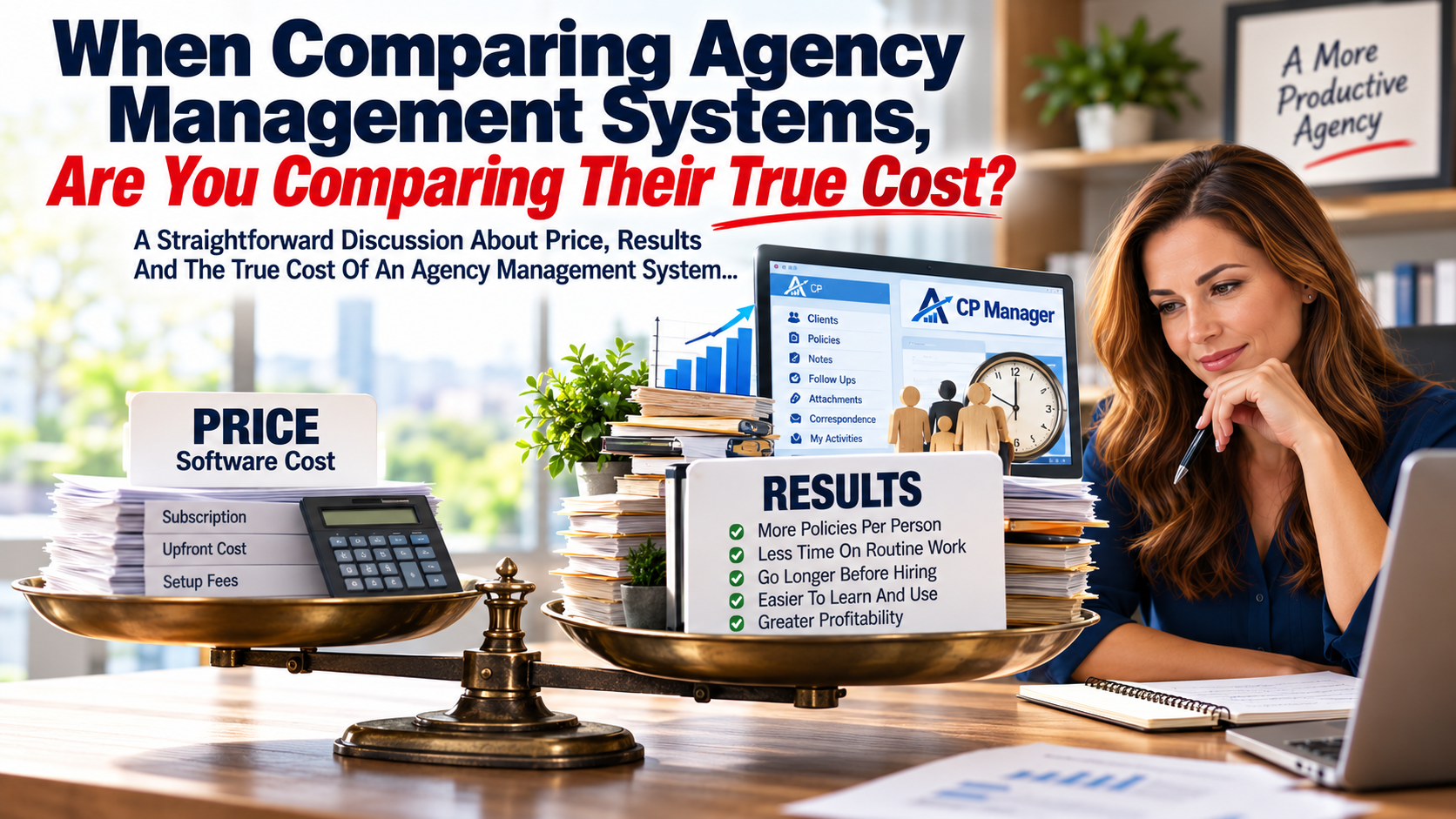
When Comparing Agency Management Systems, Are You Comparing Their True Cost?

A Straightforward Discussion About Price, Results And The True Cost Of An Agency Management System...

When agencies compare management systems, price naturally matters. And it should.

But the monthly subscription and upfront cost is only one part of what a management system actually costs your agency.

Two much bigger financial factors may be:

  • How much staff time and expense it takes to learn and use the system, and
  • How much work each person can efficiently handle each day.

When you look at management systems, they'll all manage clients and policies and include Notes, Follow Ups, Attachments, Correspondence and other core features your staff needs to do their work. Some will have very long feature lists.

That doesn't mean all systems are equal in the amount of work your staff can process each day. In fact, this is one of the biggest things that separates one system from another.

And that's where comparing management systems based primarily upon price can become very expensive.

A Less Expensive System Can Cost You More

Suppose Management System "A" costs your agency $300 less per month than Management System "B". That's $3,600 a year.

On the surface, System "A" appears to be the better financial decision.

But what if System "B" allowed your staff to be just 10% more productive? Or 20%?

What if your CSRs could manage larger books of business, get more work done during the day and allow your agency to go longer before needing to hire another employee?

Suddenly that $3,600 difference in software cost becomes a very small part of the financial equation.

This was one of the lessons I learned many years ago working with insurance agencies.

The purchase price of an agency management system tells you what you're paying for the software. It doesn't tell you what the software costs your agency to use.

This doesn't mean a highly productive management system has to be expensive.

In fact, one of our goals with CP Manager has been to keep it affordable enough for smaller agencies with tighter budgets—because those are often the agencies who need to be able to get more work done with the staff they already have. When every additional hire is a major expense and every purchase for the agency must be calculated, that matters a lot.

Let's Put Some Numbers To It

Let's use an agency with five CSRs. Let's assume each CSR represents approximately 168 working hours per month.

That's roughly 840 staff hours every month.

Now let's suppose a different management system allows those same employees to get 20% more work done with the same amount of staff time.

That's the equivalent of approximately:

168 additional hours of work every month.

2,016 hours every year.

That's essentially one full-time employee's worth of additional work from the staff already on your payroll.

At $30 per hour in employee cost, those 168 hours represent approximately: $5,040 per month. That's $60,480 per year.

Now compare that with a difference of a few hundred dollars per month in software cost.

Which number deserves more attention?

That's why the least expensive management system isn't necessarily the system that costs your agency the least.

And it's also why the most expensive system isn't automatically the best value.

Price matters. 

Results matter more.

But How Can One Management System Make Staff More Productive Than Another?

This is where feature comparisons can become misleading.

Suppose two systems both have Notes. Check.

Both have Follow Ups. Check.

Both have Attachments and Correspondence. Check. Check.

Looking at a feature comparison, they're equal.

But that's the wrong comparison.

The better question is: How effectively are those features integrated into the work your staff performs every day?

  • Does your CSR have to leave what they're doing to find the feature?
  • Does information already entered somewhere else have to be entered again?
  • How many screens or windows do they have to move through?
  • How many steps does it take to complete a routine task?
  • Can they easily stay on top of work in progress?
  • When they're interrupted by another client, how much work does it take to get back to where they were?

Individually, these may represent only seconds or minutes.

Thirty seconds here. Three minutes there.

Multiply those little inefficiencies across dozens of tasks, several employees, five days a week and fifty-two weeks a year.

Now you're talking about real money.

Properly automating an agency isn't merely having somewhere to store client and policy information. It's about processing your day-to-day work in the least amount of steps and time! 

And that's where productivity directly affects agency profitability.

Increased productivity comes from information flowing through the system, proper workflows, fewer keystrokes, easier navigation, ease of use and eliminating unnecessary duplicate work.

This Is Why CP Manager Was Designed Around Workflows

When we designed CP Manager, we didn't begin by creating a list of features and then figuring out how agency employees could use them.

We started with the work, to include dissecting the CSRs job.

  • How does an agency actually process a renewal? An endorsement? A new application? A claim? A certificate?
  • What information does the CSR already have?
  • Where should that information automatically be available?
  • What does the CSR need next?
  • How many unnecessary steps and windows can we eliminate?

That strategizing became the foundation of CP Manager. It's also how the My Activities Dashboard was born—bringing work in progress together in one place so the CSR can see what needs their attention.

It's why Notes, Follow Ups, Correspondence and Attachments are integrated throughout the system rather than simply existing as separate features.

It's why we emphasize single-entry wherever possible.

It's why browser tabs and separate windows can allow a CSR to handle an interruption without closing the work they were already doing.

And it's why seemingly small improvements throughout a management system can collectively make a very large difference in how much work your staff can accomplish.

For A Small Agency, This Matters Even More

If you have one, two or three people servicing your book of business, hiring another employee isn't a small expense. It can be a major financial decision.

So the question isn't simply: “How much does this management system cost per month?”

Another question deserves to be asked: “How large a book of business can each person efficiently manage using it?”

If a more productive management system helps each employee handle more clients and policies, process their work faster and stay on top of work in progress more efficiently, your agency may be able to grow considerably further before another CSR becomes necessary.

For a smaller agency where cash flow matters tremendously, delaying that next hire can dwarf the difference in software price.

And when you eventually do hire someone, there's another cost that matters: How much time and money will it take to teach them the system?

A management system that's difficult to learn doesn't just frustrate employees, it consumes the time of the person being trained and the experienced employee doing the training.

Ease of use has an economic value too.

And it doesn't stop with CSRs. If producers have to spend more time learning the system or fighting with it to enter and access information, that's time they're not spending selling and writing business.

Productivity affects both sides of the agency—servicing the business and producing it.

There are other costs smaller agencies should consider as well.

Because CP Manager is browser-based, you don't need expensive, high-powered computers just to run the management system, and multiple users don't require a local network to access CP Manager. Those technology and infrastructure costs are easy to overlook when comparing the price of one management system to another.

Don't Compare Price Until You Compare Results

I'm not suggesting price doesn't matter. It absolutely does.

I'm suggesting that price without results is an incomplete comparison.

If System "A" costs $300 less each month but System "B" allows your existing employees to handle considerably more work, which system is actually less expensive?

If one allows you to delay hiring another CSR for six months, a year or longer, what is that worth?

If one reduces training time whenever you hire someone new, what is that worth?

If one gives your staff back even 30 minutes every day, what is that worth across your entire agency?

Those are the numbers that belong beside the subscription price.

Don't Take Our Word For It. Run Your Own Numbers

We've created a Productivity Calculator specifically for this reason.

Put in the number of CSRs in your agency.

Look at what a 10%, 20% or 30% increase in productivity could mean.

See the additional hours your existing staff could potentially handle.

Then put a dollar value on those hours.

You may discover that the price of your management system is one of the smallest numbers you should be comparing.

RUN YOUR AGENCY'S NUMBERS → Productivity Calculator

And if the numbers make you curious about where those productivity differences can actually come from, spend about 45 minutes with us in a CP Manager Productivity Walk-Through.

Don't just ask us what features CP Manager has. Compare how the work actually gets done.

See how the features are integrated throughout CP Manager to help your staff handle their daily work more efficiently.

That's where you'll see the difference between comparing price—and comparing results.
You Can Always Add Features

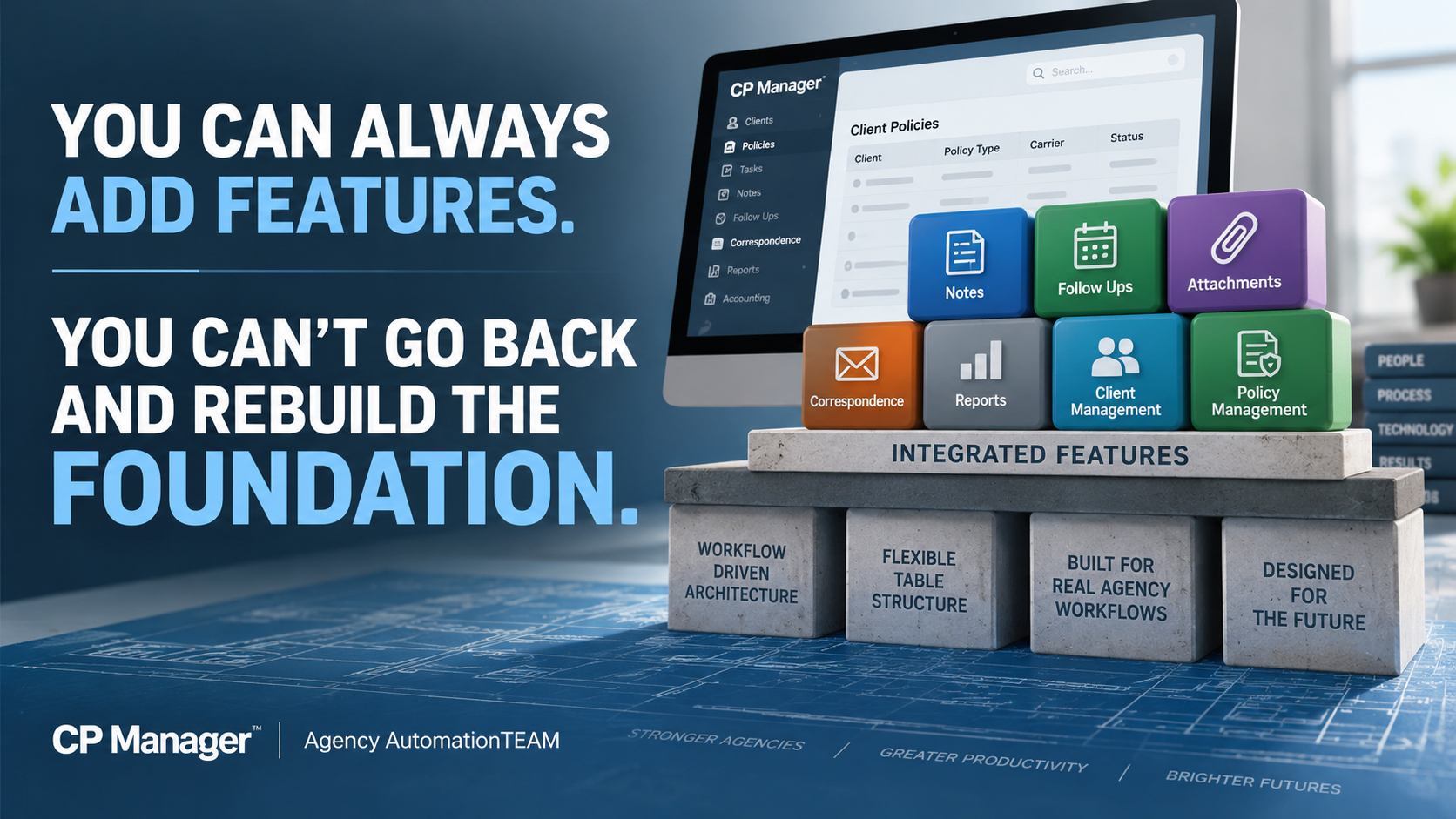
You Can Always Add Features. You Can't Go Back And Rebuild The Foundation.

This is why CP Manager was built around agency workflows first—which makes it possible for features to be FULLY integrated into the system.

By Bradley Chesnut, Founder

Agency management systems have become increasingly feature-rich over the years. New features continue to be added, feature lists get longer, and those features often become one of the primary ways systems are compared. It's also how vendor sales reps sell their systems.

The number of features in an agency management system tells you very little about how efficiently your staff can actually use them. What matters far more is how those features work together to help your staff process their work more efficiently. 

Adding features to a software program is relatively easy. Building the foundation that allows those features to become part of an efficient workflow and fully integrated into the system isn't so easy.

And there's an even bigger problem. If you build the features first and later decide you want to create a truly workflow-driven system, you have likely already built the very foundation that prevents you from doing it.

That's why, when we designed CP Manager, we made a very deliberate decision: We chose to get the foundation right first, because everything we built afterward would depend on it.

That foundation is the all-important table structures to support a workflow-driven system.

Features Are What You See. The Foundation Determines How They Work.

Most agency management systems have many of the same core features: Policies. Notes. Follow Ups. Attachments. Correspondence. Reports. Accounting.

Put two systems next to each other on a feature-comparison chart and you can put checkmarks beside many of the same things. But that doesn't tell you how much work it takes to actually use those features.

That's where the difference between a feature-driven system and a workflow-driven system becomes important.

A feature-driven approach starts by asking: What features does the system need?

The client database gets built. Policies are added. Notes are added. Attachments are added. Correspondence is added. More and more features get added over the years.

Eventually you have a very long feature list.

At this point the underlying table structures and foundation of the system are locked in. When workflows are addressed later, those workflows have to work around a foundation that wasn't originally designed to support them.

This was one of the biggest lessons I learned during my years working with agency management systems since 1991. I'd identify something that could eliminate unnecessary work or make a process considerably more efficient and shared the information with the vendor.

Too often, the answer came back to some version of:

“We can't do that because our table structures don't support it.”

Once agencies start using a system and thousands of client and policy records are sitting inside it, changing those underlying structures becomes enormously difficult, even impractical.

You can't casually rip apart the foundation underneath a live agency management system because you've now decided you'd like the workflows to operate differently.

That experience had a tremendous influence on how CP Manager was designed. We approached it from the opposite direction.

Before creating the underlying structures, we looked at how the work actually gets processed inside an insurance agency.

What happens when a CSR processes an endorsement?
What happens during a renewal?
What information will they need?
Where will they need to go?
What other functions might they need while completing that work?
What are the possible windows a CSR would need for a policy task?
What unnecessary steps can we eliminate?
How can we simplify the process with fewer windows, fewer steps, less jumping around the system, and better data flow to eliminate duplicate entry?

Then we designed the system and its underlying structures to support those workflows.

A workflow-driven system asks what features are needed to support policy workflows first, then what additional features are needed to better manage clients and their policies.

The features had to fit the workflow—not the workflow fitting around the features.

Having A Feature And Integrating A Feature Into The System Are Two Very Different Things

Here's where this becomes much easier to understand.

CP Manager has Notes, Follow Ups, Attachments and Correspondence. There's nothing particularly remarkable about saying that.

Other agency management systems have Notes, Follow Ups, Attachments and Correspondence too.

On a feature-comparison chart, everybody gets four checkmarks. But the checkmarks don't tell you how those features have been integrated into the system.

All four of these features in CP Manager were designed to be available throughout the system and integrated into the workflows where they're actually needed.

That's an entirely different objective than simply saying: “Yes, we have that feature.”

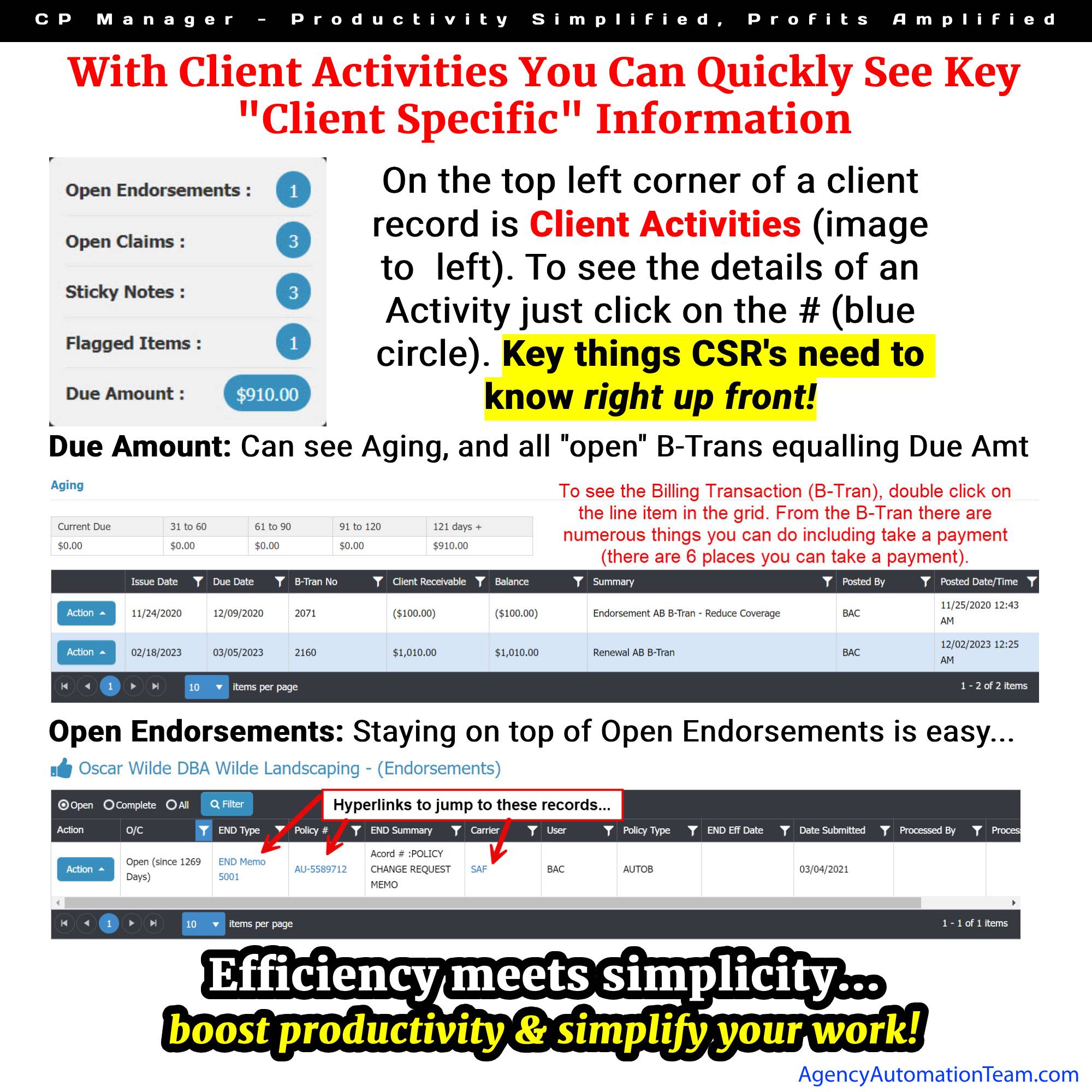
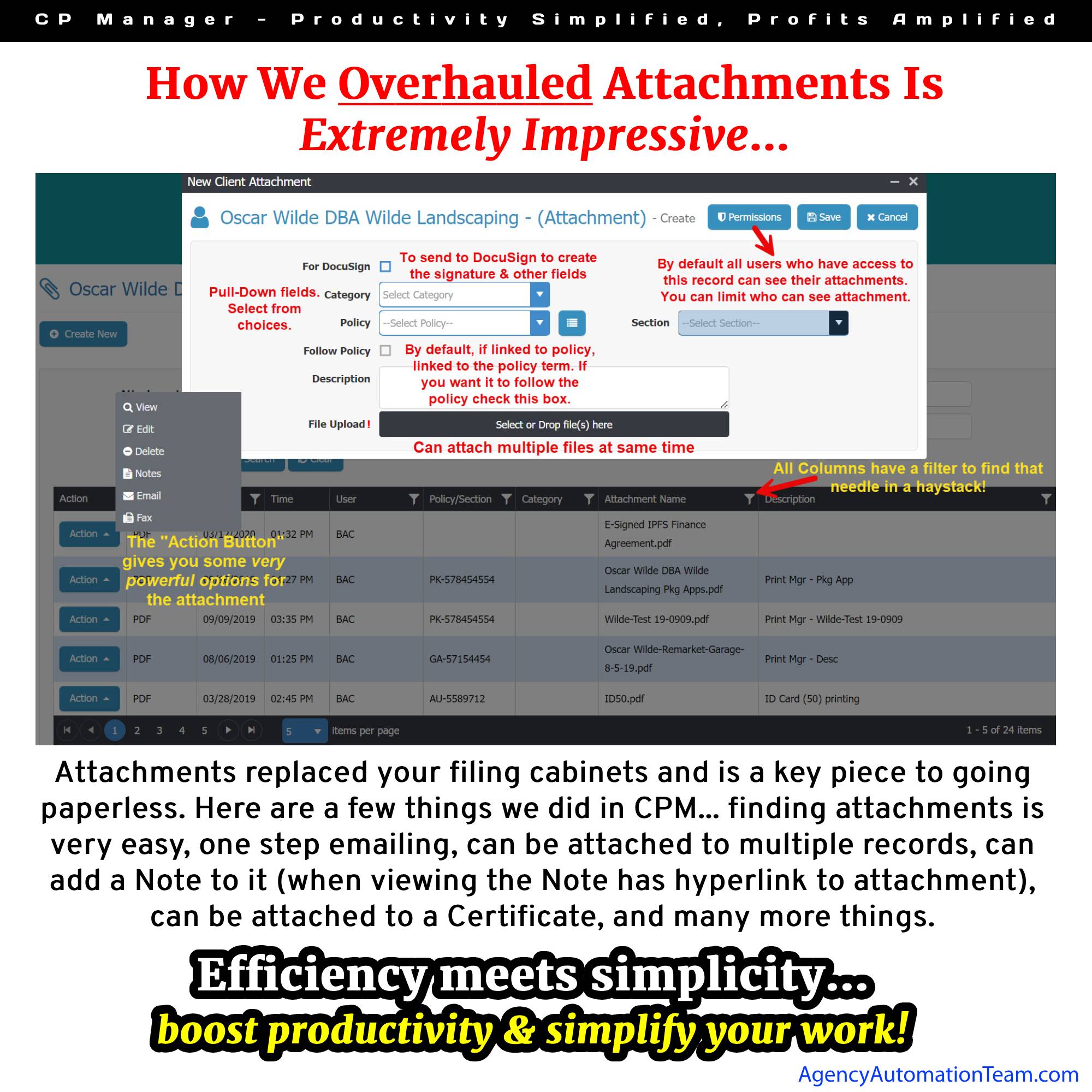
To show you what we mean by integrated, let's look at just one of them and how it's integrated throughout the system.

This is what we mean when we talk about integrating a feature into a workflow. The objective isn't simply to make the feature available. It's to understand when it's needed, where it's needed, what CP Manager already knows when you use it, what other parts of the system it should interact with, and how many unnecessary steps we can eliminate in the process.

Notes, Follow Ups, Attachments and Correspondence demonstrate the development philosophy behind CP Manager: don't simply add a new feature—integrate it into the system and into the workflow.

And because of the foundational design of CP Manager, “integrated into the system” means something very different than simply adding another feature to a menu.

With The Workflow-Driven Foundation Now In Place, Our Attention Has Turned To Adding Key Features

The decision we made years ago about how CP Manager should be built now gives us an important advantage.

Every new feature can be designed from the beginning to work within the workflows and integrate with the rest of CP Manager.

As we design a new feature, we ask:

Where does this belong within the agency's workflow?
What information does CP Manager already know that shouldn't have to be entered again?
What other parts of CP Manager should this feature interact with?
What steps can it eliminate?

The objective isn't simply to add the feature. It's to make the feature part of the workflow and fully integrated into the system.

Our Next Major Feature Shows Exactly What This Foundation Makes Possible

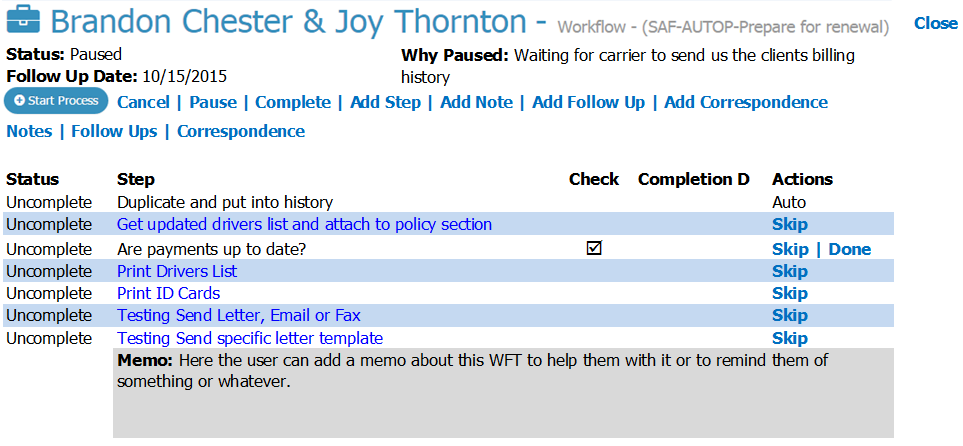
Introducing CP Manager's Exclusive Workflow Task Manager (WFTM)

One of the most difficult and time-consuming parts of training a new CSR—or even an experienced CSR joining your agency—isn't teaching them where the buttons are.

It's teaching them how to process the work.

The correct workflow for processing a policy task is determined by three things:

  • Line of Business.
  • Carrier.
  • Policy Task.

Change any one of those and the steps may change. That means a CSR ultimately needs to learn and remember many different policy-task workflows.

The Workflow Task Manager is being designed to put that knowledge directly into CP Manager.

For years, one of our founder's specialties as an insurance automation consultant was creating detailed workflow manuals so CSRs would know exactly how different policy tasks should be processed.

With the Workflow Task Manager, we've taken what used to require a workflow manual and put it directly into the management system.

When a CSR starts a Workflow Task from a policy, CP Manager already knows the Line of Business and Carrier for that policy. The CSR simply selects the Policy Task to run.

That's it.

CP Manager presents the appropriate workflow and walks the CSR through the steps required to process that specific task. All the CSR has to do now is just click on the hyperlinks to open up the window for the next step in the workflow.

Instead of spending months learning and memorizing different workflows, a CSR will know how to process a policy task in seconds.

They don't have to remember the workflow. CP Manager remembers it for them.

WFTM Window Proto Type

We Couldn't Have Built It This Way If We Hadn't Built The Foundation First

The Workflow Task Manager was part of the plan from day one. But it couldn't be added until the table structures were there to support it and the other pieces were put in place.

It needed policy, carrier and Line-of-Business information. It needed Notes, Follow Ups and Correspondence. There are over 90 steps to choose from. And most importantly, it needed the workflow-driven foundation we've built.

That's what allows the Workflow Task Manager to do far more than simply display a checklist.

The CSR can work through each step and go directly where needed in CP Manager. Notes, Follow Ups, attachments, correspondence, and other parts of CP Manager become part of the workflow.

A workflow task can be paused when waiting on a client or carrier, with the reason documented and a Follow Up established so the work isn't forgotten.

We're not building another task checklist and bolting it onto CP Manager. We're bringing the capabilities already built into CP Manager together around the actual work the CSR is processing.

That's the difference between simply adding another feature and integrating a feature into a workflow-driven system.

There's Another Important Reason To Consider CP Manager Now

The WFTM will be an optional, per-user add-on to CP Manager and will be the most expensive add-on we offer. There's a reason for that.

We've invested more programming time into the Workflow Task Manager than any other individual feature we've developed. But more importantly, we know it will have a greater impact on agency productivity than any other feature we could add.

From September 1, 2026 through January 31, 2027, agencies that purchase CP Manager will receive the Workflow Task Manager FREE for every CP Manager user they purchase.

Purchase CP Manager for five users during this period, and you'll receive WFTM for all five users at no additional cost once it's released.

And that's a benefit you'll continue receiving long after this introductory offer ends.

When We Look At Features, Seriously, What Features Actually Matter To An Agency?

There's another lesson I've learned after more than three decades in insurance automation.

For as long as systems such as Applied and AMS360—originally Pathfinder and known by different names over the years—have been around, I've consistently heard agency owners and CSRs tell me essentially the same thing: “We only use about 15–20% of the system.”

Or: “We don't use but a fraction of the features, but we're still paying for all of them because they're bundled into the system.”

What they're ultimately telling me they really want from their agency management system is much simpler: “We just want to service our clients and their policies. That's really what we need.”

I get it, and I agree! That's why we'll eventually have 2 systems...

  • CP Manager to handle your client and policy management in a highly efficient and productive way, and
  • The TIME System, a full-blown and true agency management system, for larger agencies who have greater needs.

This is not the time or place to discuss the TIME system. For now let me just say that it's also been planned since day one, and as part of that planning, when CP Manager users upgrade to it there will be no data conversions (100% of their data will be there), no downtime, and no new learning curve creating another breakthrough in the insurance automation industry.

This is the advantage of planning these things from the beginning. CP Manager had to be first, and the foundation had to be right because...

The fundamental reason agencies use an agency management system hasn't changed:

It's to manage your clients and their policies. Client & policy management is the foundation to these systems!

The question is, "how efficient do you want your staff to be, and how many policies do you want each CSR to be able to manage?"

That's why our development priorities for CP Manager are centered around better client management, better policy management, and increasing agency productivity.

It is NOT our objective to compete with other systems over who has the most features.

Our focus is on helping your agency become as productive and profitable as possible.

That's where the focus needs to be—and that's what will drive the features we add to CP Manager.

Features absolutely matter. But features should have a purpose: 

  • Help your staff manage clients and policies better,
  • Eliminate unnecessary work,
  • Make the agency more productive, and
  • Increase the profits of an agency.

So What Does All Of This Mean For Your Agency?

At the end of the day, your agency doesn't buy a management system because of its table structures, programming architecture, or even the number of features it has.

You buy it to help your staff manage your clients and policies—and get the work done as efficiently as possible.

That's why the foundation matters.

When the system is designed around how the work actually gets processed:

  • Features can work together instead of functioning as separate pieces.
  • Information the system already knows can follow the work.
  • Unnecessary steps can be eliminated.
  • Your CSRs can spend less time navigating the system, re-entering information and keeping track of what needs to happen next.

And those differences get repeated hundreds of times, across every CSR, every week.

That's where the impact becomes much bigger than simply saving a few minutes on a policy task.

It means your existing staff can handle more business. 

It means you can delay the need to add another CSR.

It means new employees can become productive faster.

And ultimately, it means greater profitability for your agency.

That's what the workflow-driven foundation of CP Manager was built to accomplish.

Have Questions About What You've Just Read?

The way a management system is built affects much more than which features it offers. It can affect how those features work together and how efficiently your staff can actually use them.

If you'd like to discuss any of this with us, let's talk...

LET'S HAVE A CONVERSATION

See The Difference For Yourself

This is difficult to fully appreciate from a feature list—or even from an article.

You need to see the workflows.

During a CP Manager Walk-Through, we'll show you how these features have been integrated throughout the system and how CP Manager was designed around the work your staff actually performs every day.

Don't just ask us what CP Manager has. See how CP Manager works.

Schedule A CP Manager Walk-Through

CP Manager Had To Be Invented

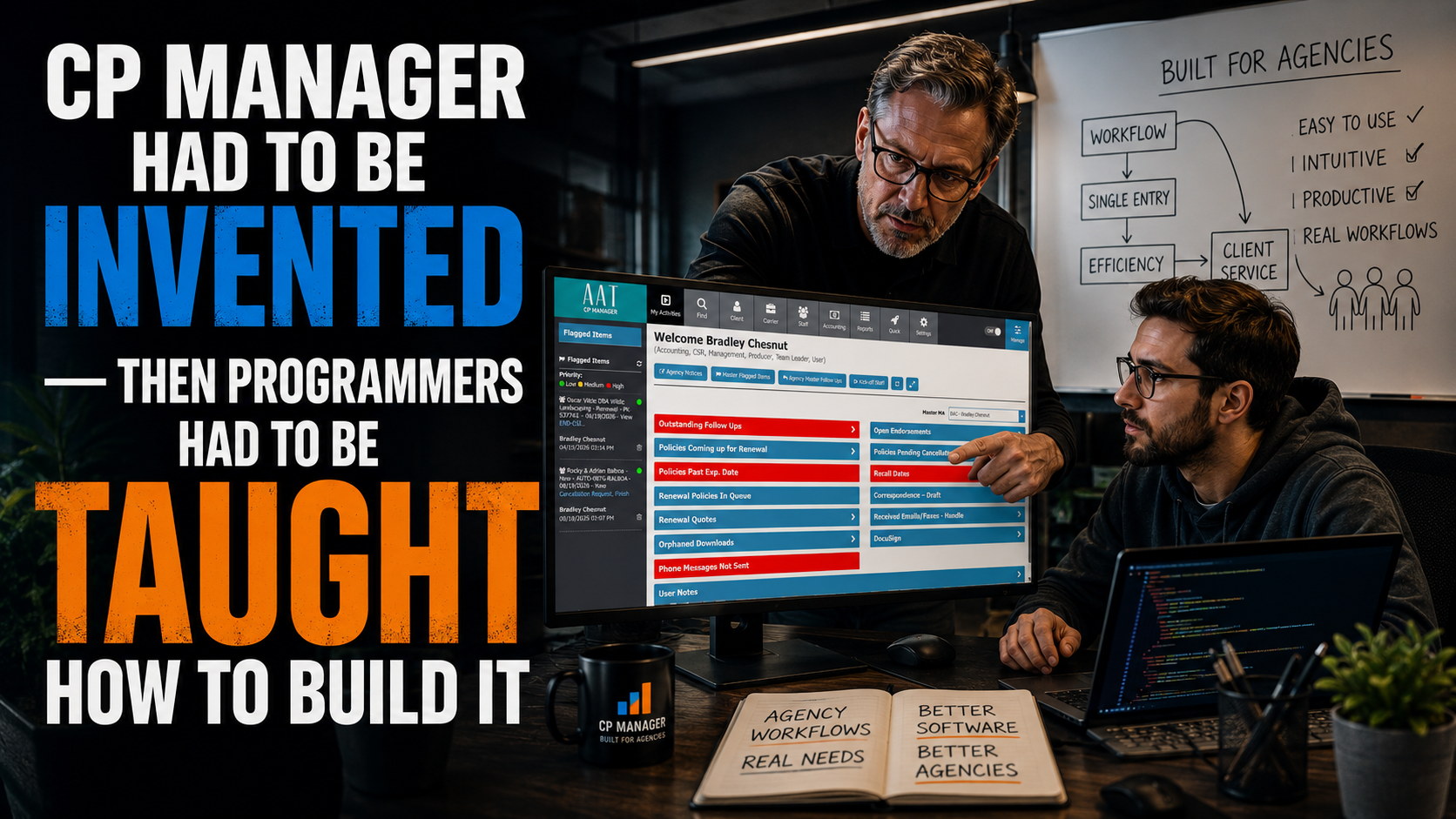
CP Manager Had To Be Invented — Then Our Programmers Had To Be Taught How To Build It

(Seriously. Continue reading to see why our programmers had to be "taught" a new style of programming.)

Here's why the first workflow-driven agency management system took longer — far longer — than anyone else's...

Since 1990, I've worked as an insurance automation consultant helping agencies increase productivity and efficiency, and along the way, selling agency management systems at the highest level for two different companies: Agency One and InStar. Both are gone now. But for over a decade, I was the top producer for each of them and their lead consultant.

Having worked as a productivity consultant to agencies and having actually represented two different system vendors taught me something no programmer ever could have: what actually happens inside an agency when the software gets in the way.

Every year, in agency after agency, I saw the same thing. CSRs re-entering the same data three times. Producers avoiding the system because it fought them. Commercial lines treated like an afterthought. And every time I brought it back to the vendor — "here's what needs to change, here's how to fix the workflow, here's what would make this system actually productive" — I got the same answer:

"We can't do that. Our table structures don't support it."

I heard that sentence more times than I can count. Different vendor, different system, same wall.

The Wall Every Agency Management System Hits

Here's what most agency owners never see, because it happens before they ever log in: every agency management system starts life as a database. 

Someone decides what the client table looks like, what the policy table looks like, how notes and follow-ups and correspondence get stored — and then, once agencies start going live on it, that structure is locked. Permanently.

From there, a vendor can add features on top all day long. New screens, new reports, a new integration here and there. What they can never do is go back and change the foundation. The table structure is the system. It determines how many clicks it takes to process a task, how many windows a CSR has to jump between, how data does or doesn't flow from one screen to the next. And once it's set, it's set.

That's why every "workflow improvement" I ever proposed to a vendor died the same way. Not because they didn't want to fix it. Because they couldn't — not without tearing out and rebuilding a system that already had live agencies on it. Nobody was going to do that.

Those who design systems believe features are the key, and they all strive to create one "wow" feature to impress agencies with. In addition to this, starting with features is typical because that's how programming teams write database programs. Client database first, policies, notes and the rest bolted on as features.

Workflows, if they ever get addressed, are added on top afterward, working around a table structure foundation that was never built to support it. That's not a knock on the programmers who built them. That's just how programmers have been taught to build database systems in this industry and every other industry.

I Actually Built A Process-Driven System

I'm not just an insurance automation consultant who talks about workflow — I've built it.

Before CP Manager, I wrote a process-driven agency management system from scratch for a specialized agency that couldn't use a traditional AMS at all — their business was too unique for anything off-the-shelf.

Other programmers quoted them up to $75,000. I built it for $21,000, and it outperformed every one of those quotes.

I turned their busiest season into push-button processing — update a record, generate the paperwork, print the labels — and the job that used to take 8 people to process, one person could now handle alone.

The key to dropping the number of people from 8 down to 1 to handle the job was having a very clear understanding of "how" they processed the work, and then building the system around that.

It wasn't about features. It was solely about how they did the job, and then automating everything. If changing one field meant three others had to update too, we automated the cascade — change one, the rest were updated also.

With the extensive knowledge I had on workflows, productivity strategies, agency management systems, relational databases...

I Set Out To Build A System Backwards By Starting With Workflows

In 2007, I started designing something different: a system where the workflow comes first, and the table structure gets built to serve it — not the other way around. It took a year alone just doing the blueprint.

That sounds simple. It isn't. It meant that before a single table got designed, we had to map out, in detail, exactly how each policy task actually gets worked — new business, renewals, endorsements, claims, cancellations — across every line of business, because each one genuinely works differently.

I listed out each of the service tools needed to process the work and how they should operate to support the task at hand.

Everything was evaluated. And every service tool from notes to attachments was overhauled to support a workflow driven system with an emphasis on increased productivity.

Only after all of this, after everything was mapped out, could the database get built to fit it.

The problem: no programmer had ever built a system this way. 

Not because it's a bad idea — because standard training doesn't teach it. Every programmer who's ever built a database system was taught the same way I have watched play out the past 30 years of working with agencies to increase their productivity: start with the objects, build the features, ship it.

Starting with workflows and building table-structure-derived-from-workflow isn't a technique you hire for. It's not in the curriculum programmers learn from. I had to teach it, team by team, from scratch.

Why I Wouldn't Let It Slide

I know exactly what needs to happen for an agency to run efficiently. I'm not guessing at it — I spent over 3 decades watching agencies get stuck inside systems that couldn't fix themselves, and I know precisely which decisions cause that.

So when our programming team, mid-project, fell back into old habits by solving a problem the "feature-first" way because that's what they'd been trained to do their whole career, I didn't let it stand. I had them rip it out.

Not patch around it. Literally rip it out and rebuild it the right way, even when that meant walking away from work that was already done.

We lost a good year because of this alone, which happened way too many times. It's just not how programmers are taught to write database programs.

Programmers loved working with me for the same reason some of them hated it: I wasn't going to compromise on the one decision you don't get a second chance at.

You can add a feature next year. You cannot fix foundational table structures after agencies are live on the system. Get it wrong upfront, and you've built exactly the kind of system I spent thirty years watching agencies get trapped inside.

That's Why It Took This Long

Not because we were stalling. Because this had never been done before, and doing it right meant inventing the method, teaching it to programmers who'd never worked that way, and enforcing it every single time the old habits crept back in.

Could a version of CP Manager have shipped years ago?

Sure, if I'd been willing to let table structures get set the same way every other system's did. I wasn't. I'd already watched what that costs an agency, from the inside, as the person agencies trusted to tell them how to fix it and having to tell them, every time, that the fix wasn't possible.

CP Manager exists because I refused to hand agencies a system with that same wall built into it. It's still the only agency management system built based upon workflows as the foundation to the system, where the table structures were designed to support how the work actually gets done instead of building another feature-driven system first and asking the workflow to fit in around them afterward.

That's not a system that gets built fast. It's a system that gets built once, right.

Have Questions About CP Manager And Why We Built It Differently?

There was a lot of thought—and a lot of insurance agency experience—that went into designing CP Manager around workflows instead of simply building another feature-driven management system.

If you'd like to discuss any of it with us, let's talk.

LET'S HAVE A CONVERSATION

Or Maybe You're Ready To Really Dig Into CP Manager...

Ready to see the difference a workflow-first foundation actually makes?

Schedule a Walk-Through and we'll even let a CSR from your agency drive. Not only do you get to experience a highly productive workflow driven system, you'll hear from the CSR 'how it felt' driving it.

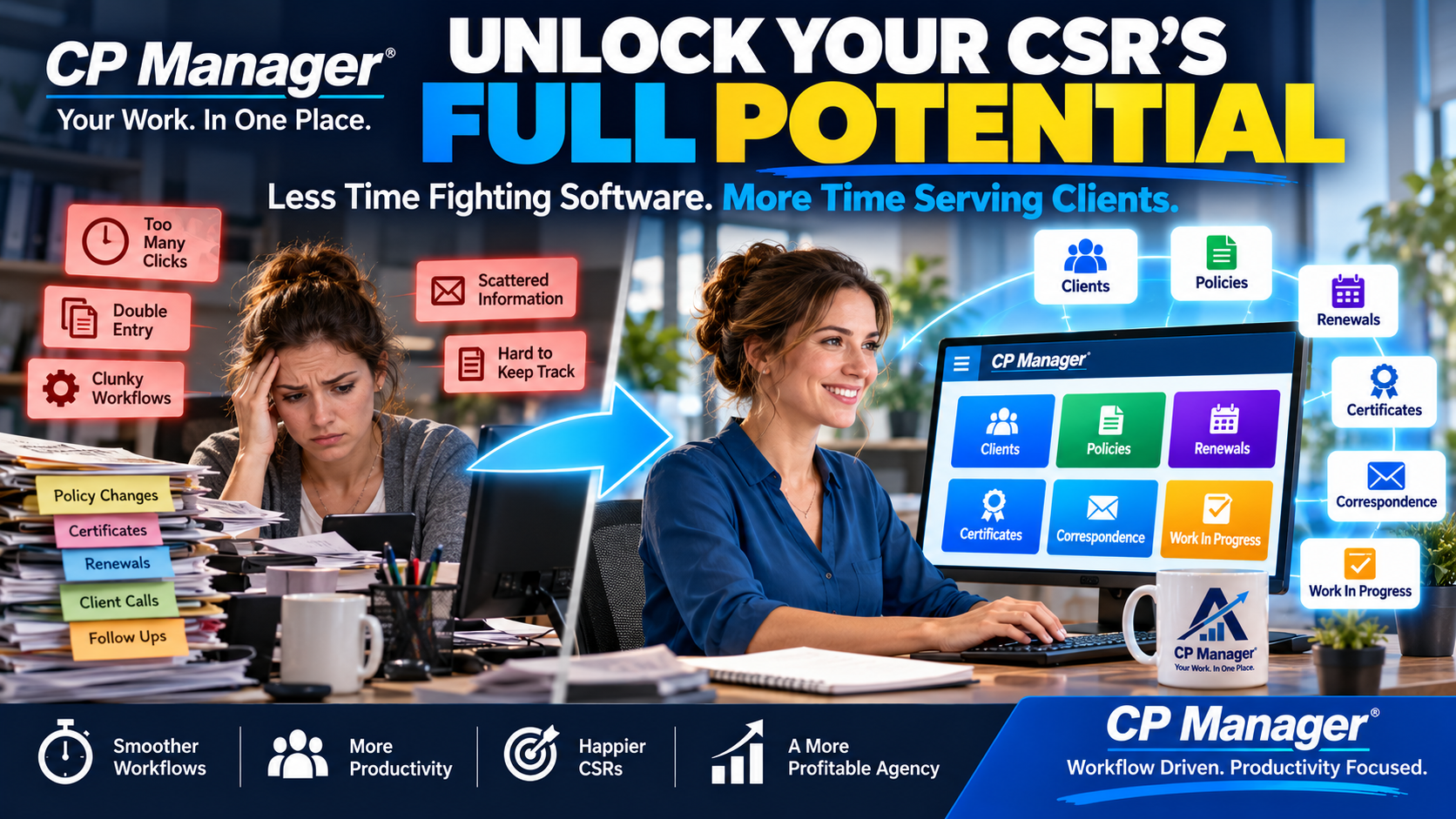
CP Manager Will Unlock Your CSR’s Full Potential

CP Manager Will Unlock Your CSR's Full Potential

Every agency owner knows the truth: the CSR is the backbone of the agency.

They’re the ones juggling client calls, processing renewals, handling certificates, managing policy changes, and making sure every detail is accurate. When CSRs are efficient, clients are happier, producers are more productive, and the agency flourishes.

But here’s the problem: most management systems make life harder for CSRs. Clunky workflows, endless clicks, and double-entry create unnecessary stress and steal valuable time.

That’s why we built CP Manager. It’s not just another management system — it’s the productivity engine that unleashes your CSR’s full potential.

How CP Manager Transforms Your CSR’s Day

Here’s what your CSRs will gain when using the most productive, workflow-driven system on the market:

  • Built by experts who understand agencies. Designed by insurance automation consultants with 30 years of experience.
  • Productivity that pays. The most efficient system in the industry, giving CSRs time back while boosting output.

  • Streamlined client & policy management. Faster, easier service that strengthens client relationships.

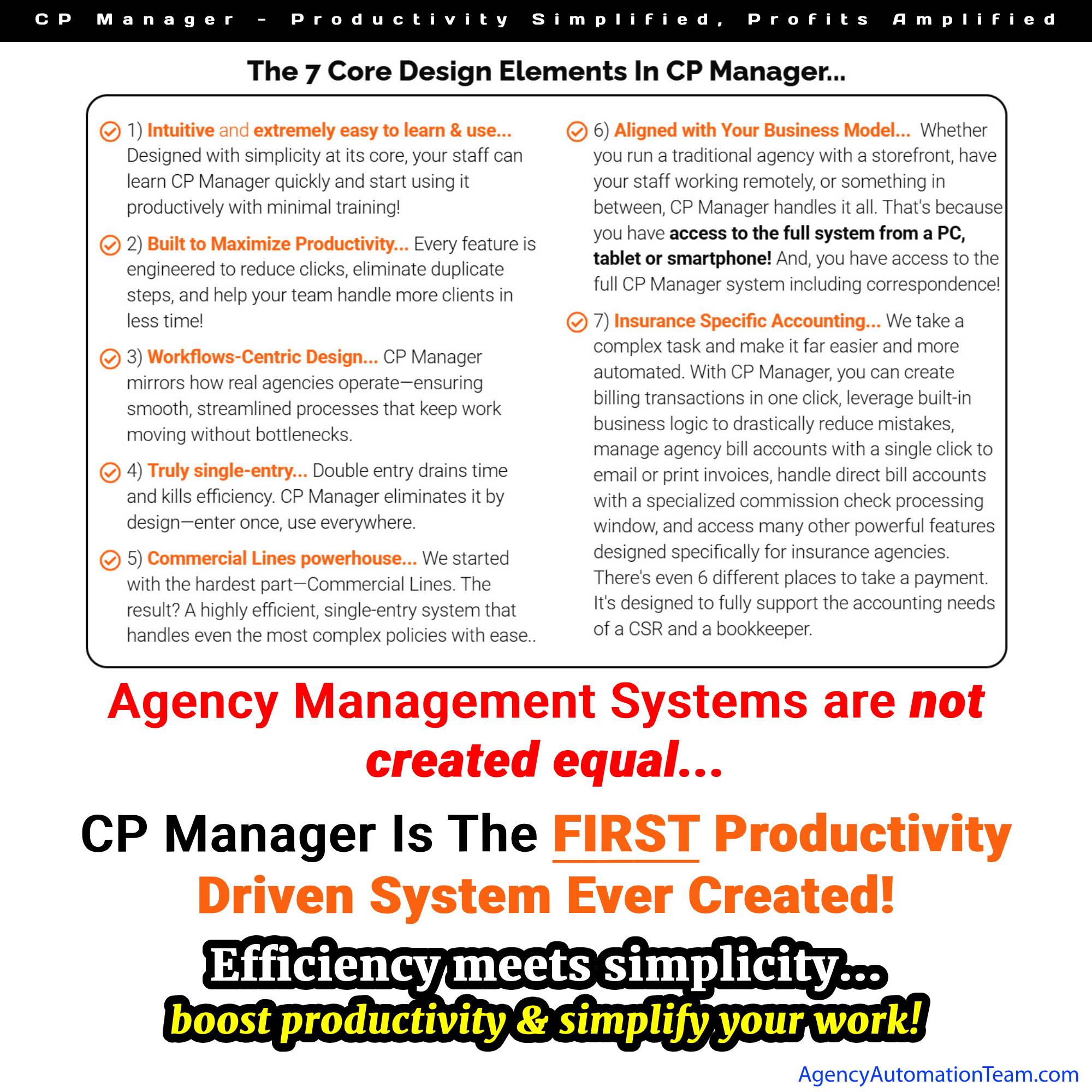
  • Easy to learn, easy to use. A user-friendly design means new hires are productive in days, not months.

  • True single-entry. Eliminate redundant data entry, reduce errors, and get work done faster.

  • Hyperlinked navigation. Instantly jump to clients, policies, carriers, emails, and more with one click.

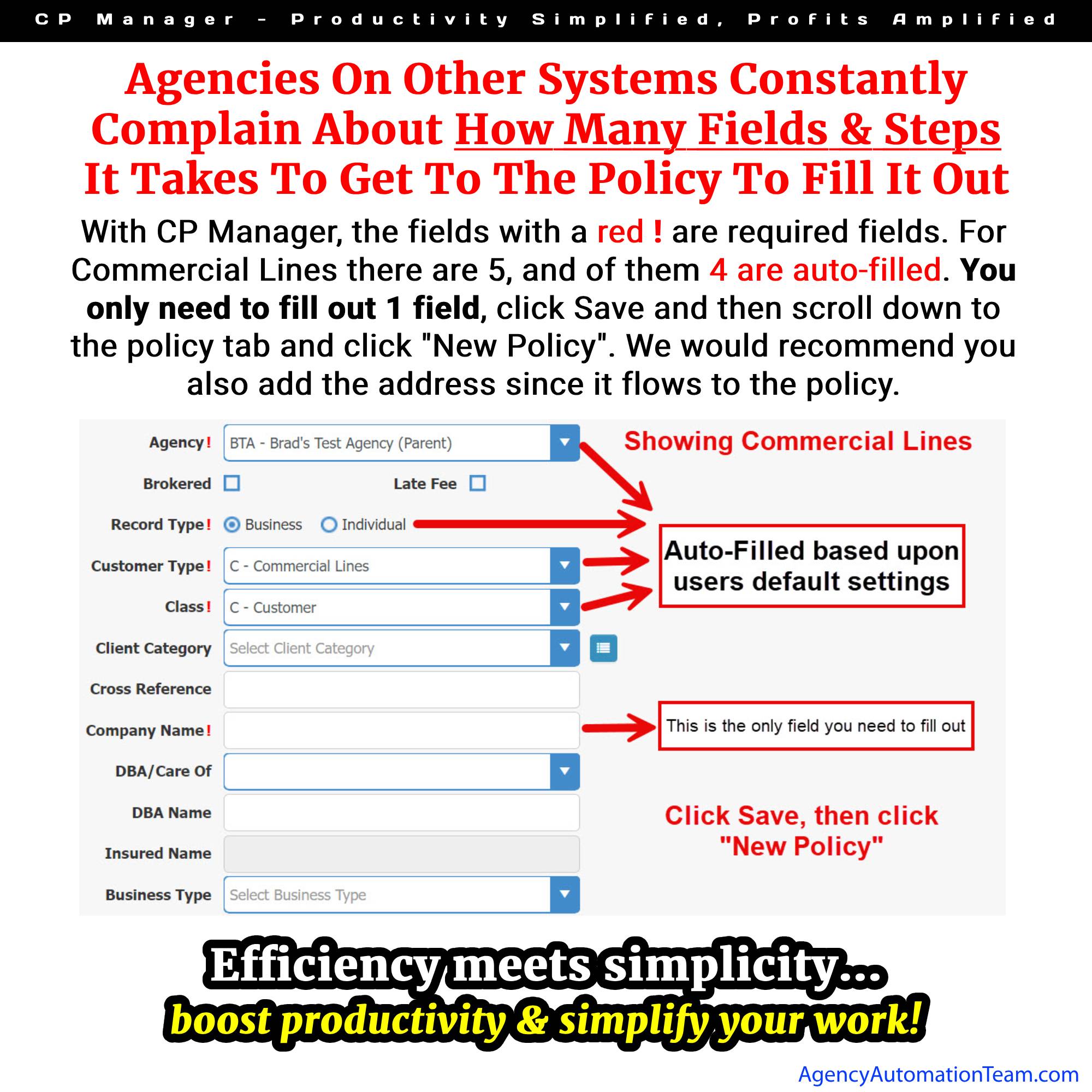
  • Quick record entry. Create new records with just 5 required fields so CSRs can focus on policy data.

  • Commercial & Personal Lines powerhouse. Commercial Lines was built first, making CP Manager the most efficient system for complex accounts.
  • Multi-entity support. Easily manage multiple agencies, locations, and clusters in one system.

  • Client & prospect management. Stay on top of X-dates and nurture valuable leads without missing a beat.

  • Re-engineered communication tools. Notes, Follow-Ups, Attachments, and Correspondence all streamlined and fully integrated.

  • Certificate management made easy. Send one or thousands — CP Manager makes it simple.

  • Insurance-specific accounting. Simplify financial management with a system built for the way agencies really work.

The Result: CSRs Who Love Their Jobs (and Clients Who Notice)

When your CSRs have a system that works with them instead of against them, something amazing happens:

  • They spend less time fighting the software.
  • They spend more time serving clients.
  • They feel less stress and more confidence in their work.

That leads to happier clients, stronger retention, more cross-selling opportunities, and ultimately — a more profitable agency.

There’s a reason agency staff love using CP Manager.

It makes their work easier, faster, and more rewarding — which makes your agency more successful.

Ready to see how CP Manager can transform your CSRs into productivity powerhouses? Schedule a Walk-Through Today!