
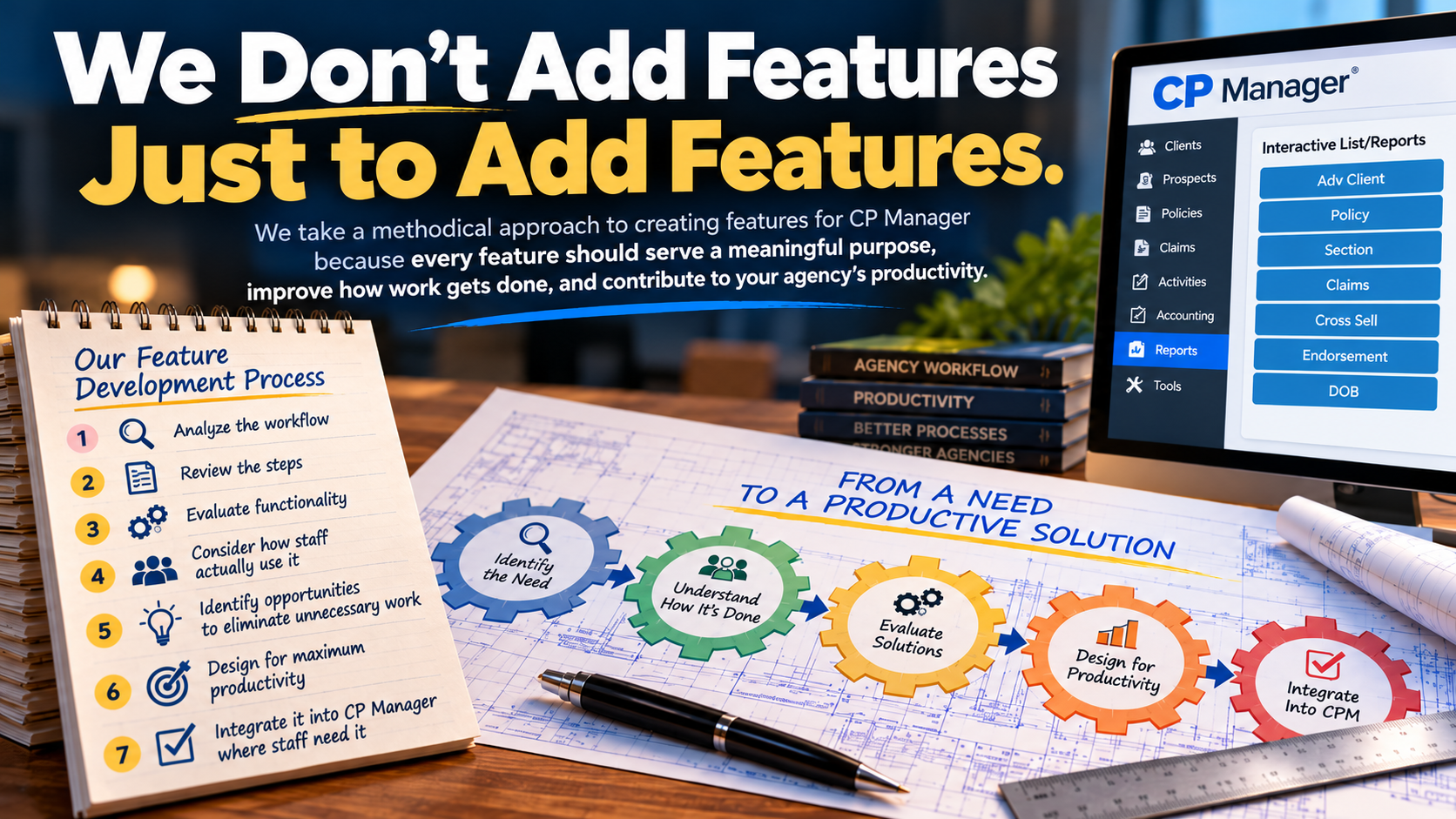
We Don't Add Features Just to Add Features
More features don't necessarily make a better agency management system. What matters is how those features help your agency get things done.
When evaluating agency management systems, it's easy to get caught up in comparing feature lists.
One system offers 100 features. Another offers 150. A third promotes dozens of integrations and announces new capabilities every few months.
But here's a question worth asking: Does having more features actually make your agency more productive?
Not necessarily.
At Agency AutomationTEAM (AAT), we take a productivity-first approach to software development. We don't believe a feature deserves a place in CP Manager simply because another system offers it or because it makes our feature list longer.
We take a very methodical approach to creating features for CP Manager and in how we add them to CP Manager because we believe every feature should serve a meaningful purpose, improve how work gets done, and contribute to the overall productivity of your agency.
That's why we approach adding features differently.
Adding a Feature Is Easy. Making It Productive Takes Strategizing.
A feature can be extremely useful and still be poorly implemented.
Consider a common situation. Your agency management system has a feature you need, but accessing it requires navigating through several screens, opening additional windows, searching for information, or re-entering data that's already in the system.
The feature is there. You can check it off the list.
But how much time does your staff waste getting to it and using it?
Now multiply those unnecessary steps by the number of times your staff performs that task every day, week, and month.
Suddenly, a few extra clicks or windows aren't so insignificant.
A feature's value isn't determined simply by what it can do. It's also determined by how efficiently your staff can use it.
That's a distinction we believe deserves far more attention when evaluating agency management systems.
We Don't Just Add Features. We Engineer Them Into Your Workflow.
At Agency AutomationTEAM, we don't simply develop a new feature and then find somewhere in CP Manager to put it.
We examine the entire process surrounding that feature.
How will agency staff use it? What steps will they need to take? How many windows will they have to open? Will they need to jump between different areas of the system? Will they have to enter information that's already available elsewhere in CP Manager?
And perhaps most importantly:
Can we redesign the process to eliminate unnecessary work?
Our objective isn't simply to make a new capability available. It's to make that capability as productive and efficient as possible within the agency's daily workflows.
That means examining the steps involved, the windows staff must navigate, the information they need, and the opportunities to eliminate duplicate work.
We consider where the feature should be located, how staff will access it, what information should already be available, and how the feature interacts with the tools they use before and after completing the task.
Sometimes the greatest productivity improvement doesn't come from adding another feature at all.
It comes from re-engineering how existing features work together.
That's an important part of how CP Manager was designed. Rather than treating every function as an isolated tool, we've focused on positioning and integrating tools where agency staff need them while performing their daily work.
Because the goal isn't to give your staff more features to navigate. It's to give them better ways to get their work done.
A Real-World Example: Mass Emailing and Mass Text Messaging
Let's look at two capabilities that can be extremely valuable to independent insurance agencies: mass emailing and mass text messaging.
Both can help agencies strengthen their marketing efforts, communicate more effectively with clients, and provide a higher level of customer service.
For example, an agency might want to:
- Send a series of automated follow-up emails to prospects approaching their insurance expiration dates.
- Email homeowners with seasonal tips for protecting their property.
- Send newsletters to selected groups of policyholders.
- Notify clients about important office announcements or service updates.
- Send targeted communications about coverage opportunities.
These are useful capabilities, and we recognize their value.
But rather than rushing to build mass emailing and texting features into CP Manager simply so we can advertise that we have them, we're taking a different approach.
We've identified proven third-party applications that our clients can use alongside CP Manager today.
Here's how that works.
Suppose an agency wants to send winter home preparation tips to its homeowners policyholders.
Using CP Manager, agency staff can identify and filter clients who have homeowners policies, then export that targeted list for use with a companion email application.
The agency can then send those clients an email containing winter preparation tips or a link to a helpful article.
Or consider an agency preparing an expiration-date marketing campaign.
Staff can use CP Manager to identify prospects with upcoming policy expiration dates, export the appropriate records, and import them into a companion email platform.
You can do the same thing with cross-selling... pull up a list of clients who own an auto policy but not a homeowners policy and do a cross-selling marketing campaign.
That platform can then handle a series of scheduled follow-up messages automatically.
CP Manager handles identifying the right people. The companion application handles delivering the communications.
This approach gives agencies useful capabilities without requiring them to wait for AAT to develop those features internally.
But there's another important reason we're doing this.
Learning What Works Before Developing New Features
By helping our clients use specialized third-party applications, we gain an opportunity to better understand how those capabilities fit into an agency's actual workflows.
What do agencies find most useful?
Which tasks are unnecessarily complicated?
How many steps are involved in preparing and sending a campaign?
What information should flow directly from CP Manager into the communication process?
Could we eliminate the need to export and import records altogether?
And what would make the entire process faster, easier, and more productive?
These are questions worth answering before investing in the development of a new feature.
After 30 years of working with other systems, we've watched way too many just slap in a new feature which created a whole new set of problems.
The experience gained from using companion applications can help us determine not only whether a capability should eventually be incorporated directly into CP Manager, but how it should be designed to deliver the greatest benefit.
After all, why duplicate an existing software feature when there's an opportunity to rethink the process and potentially make it significantly more productive?
That's the difference between adding a feature and engineering a solution.
And it's why we believe thoughtful development is more valuable than simply adding another item to a feature list.
We're Helping Our Clients Put These Tools to Work
We're taking this approach a step further by developing a Companion Solutions resource area for CP Manager clients.
This area will provide information about recommended third-party applications that complement CP Manager's capabilities.
But we're not simply planning to provide links to software vendors.
Our goal is to help agencies understand how to put these applications to work alongside CP Manager.
That includes instructional videos demonstrating how to use CP Manager to identify and export targeted client or prospect records, how to import those records into the companion application, and how to use the application to accomplish the desired task.
The objective is straightforward: help agencies take advantage of useful technology without having to figure out the entire process on their own.
And as we learn more about how agencies use these solutions, that knowledge can help guide future decisions about CP Manager's capabilities.
It's Not About Having the Most Features
We recognize that agency management systems need to evolve. Agencies face changing demands, new technologies, and growing expectations from their clients.
Adding capabilities is an important part of that evolution.
But we believe how those capabilities are designed and implemented matters just as much as whether they're available.
A feature that requires unnecessary steps, additional windows, duplicate data entry, or complicated navigation may accomplish its intended task, but it can also introduce inefficiencies into the agency's workflow.
That's why we don't measure progress simply by counting how many features we've added.
We look at what those features help agencies accomplish and how efficiently they help staff accomplish it.
We're not interested in winning a competition over who has the longest feature list.
We're interested in building software that helps independent insurance agencies operate more efficiently, serve their clients better, and accomplish more with the resources they already have.
Because at Agency AutomationTEAM, we believe:
The true value of a feature isn't determined by whether your agency management system has it. It's determined by what that feature helps your agency accomplish.
Like we've said before, "After 30 years as an insurance automation consultant with an extensive background in agency automation and productivity strategies is both a blessing and a curse." In this case it's a blessing.
Experience the Difference for Yourself
Discover how CP Manager's workflow-focused design helps independent insurance agencies reduce unnecessary steps, minimize duplicate work, and improve daily productivity.
Schedule a You Drive Walk-Through and experience CP Manager firsthand.